How to End a Professional Email (2026)
Stop second-guessing sign-offs. Learn the 3-part system, 4-question framework, and 125+ examples that make professional email endings effortless.

Most people overthink the last two words of an email.
You write the message, ask the question, attach the file, then pause at the ending:
Best?
Thanks?
Regards?
Kind regards?
Warmly?
Is "thanks in advance" rude? Is "cheers" too casual? Is "sincerely" too stiff?
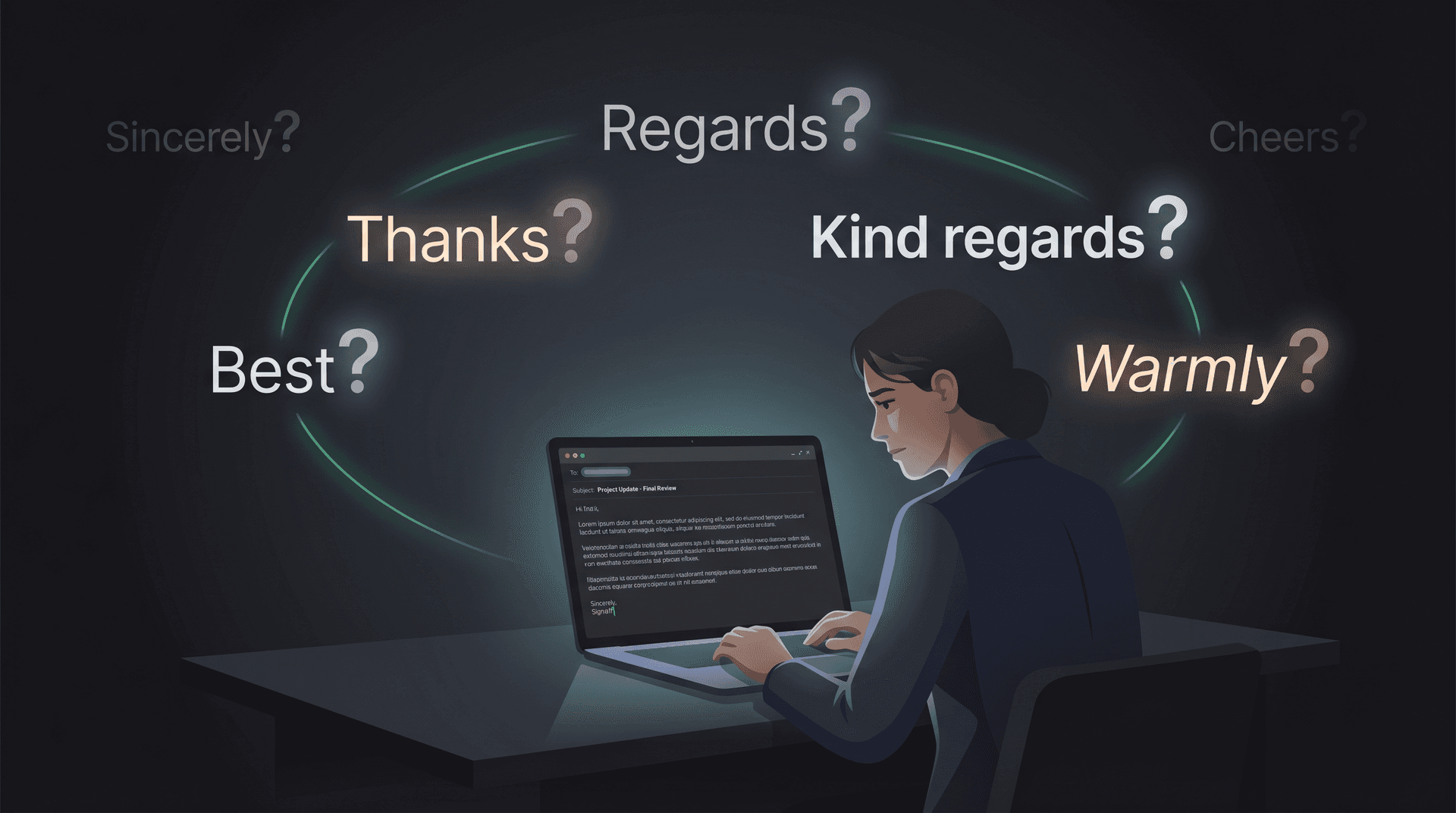
If you've ever spiraled on this, you're not alone. Research on how much time the average worker spends on email shows just how much mental load professional email carries, and sign-off anxiety is a real part of it.
Before you pick any of these, though, the sign-off phrase is actually the second thing to figure out. The more important piece is the sentence that comes right before it. That sentence does the real communication work. The sign-off just sets the emotional tone.
According to Microsoft's 2026 Work Trend Index analysis, the average worker now receives 117 emails per day, and most are skimmed in under a minute. Forty percent of people who are online at 6 a.m. are already reviewing email. Your ending has to work fast, be clear, and feel right. There's a lot riding on those last few lines.
This guide gives you a complete system: the three-part anatomy of a strong ending, a four-question decision framework, 125+ ready-to-use examples across every professional context, and the patterns to avoid. Use it to end any email well, whether you're writing to a recruiter, a client, your boss, or someone you've never met.
How to Structure a Professional Email Ending
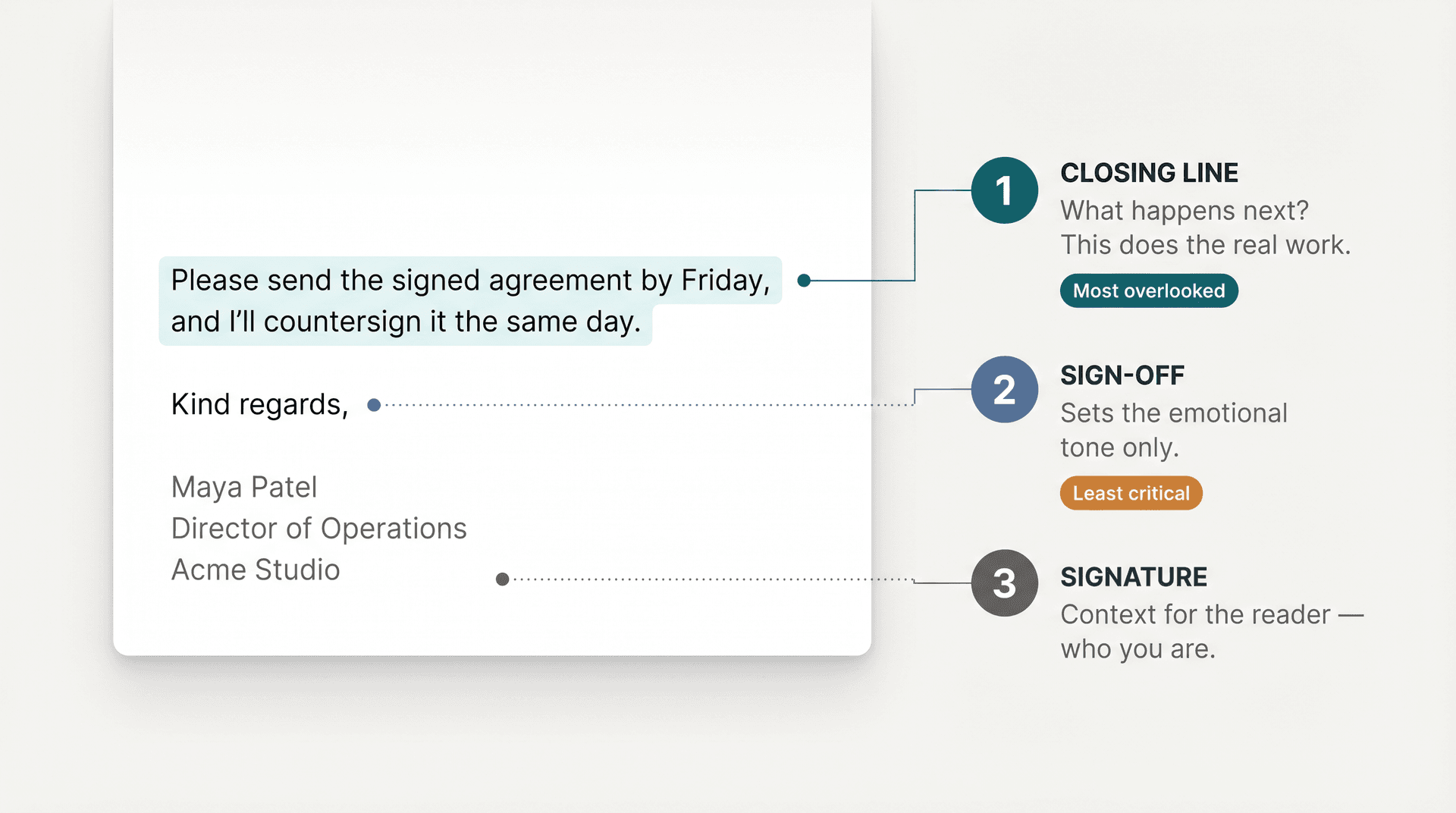
A complete professional email ending has three distinct parts, and each one has a different job.
Closing line: Please send the signed agreement by Friday, and I'll countersign it the same day. Sign-off: Kind regards, Signature: Maya Patel Director of Operations Acme Studio
What each part actually does:
The closing line
This is the final sentence of your actual email body. It should answer one specific question: what happens next?
| Email purpose | The closing line should clarify |
|---|---|
| You need a response | What exactly should they answer? |
| You need an action | What should they do, and by when? |
| You're sharing information | Whether any action is needed |
| You're following up | What happens if they don't reply |
| You're apologizing | What you're doing to fix the issue |
| You're declining | Whether there's an alternative path |
| You're thanking someone | What you appreciated specifically |
Examples:
Please reply with "approved" by Tuesday if the budget looks good.
No action needed from your side. I'm sharing this for visibility.
I'll move forward with option B unless I hear otherwise by Friday.
I appreciate your patience while we corrected the invoice.
The UNC Writing Center's email guidance recommends stating the desired outcome at the end of the message, especially when requesting a reply or setting a deadline. The closing line is where that desired outcome lives. Once you've decided whether you need a reply, a decision, or no action at all, you'll also want to think about when to reply, reply-all, or forward, because the ending you write often determines which action the reader takes.
The sign-off
This is the short phrase before your name: "Kind regards," "Sincerely," "Thanks again," "Talk soon." It signals the emotional register of the email. Not the content. Not the urgency. Just the tone.
This is where most people spend their mental energy, and it's the part that matters least of the three.
The signature
For active internal threads, your first name is usually enough. For new contacts, recruiters, customers, vendors, or formal requests, include more context.
| Include | When it helps |
|---|---|
| Full name | Almost always, especially with new contacts |
| Role/title | External, formal, hiring, sales, vendor, client emails |
| Company | External or cross-company communication |
| Phone number | When a call may be faster |
| Calendar link | Sales, recruiting, advisory calls, customer success |
| Website or LinkedIn | Recruiting, consulting, media, networking |
| Time zone | Remote, global, or scheduling-heavy work |
Purdue OWL's email etiquette guidance recommends including a signature block with the information someone needs to reach you when a reply is necessary or expected. If you need to build or update your signature block, the free email signature generator from Inbox Zero makes it straightforward.
How to Write a Strong Email Closing Line
The sign-off gets all the attention, but the closing line is what separates an email that gets a quick response from one that creates confusion.
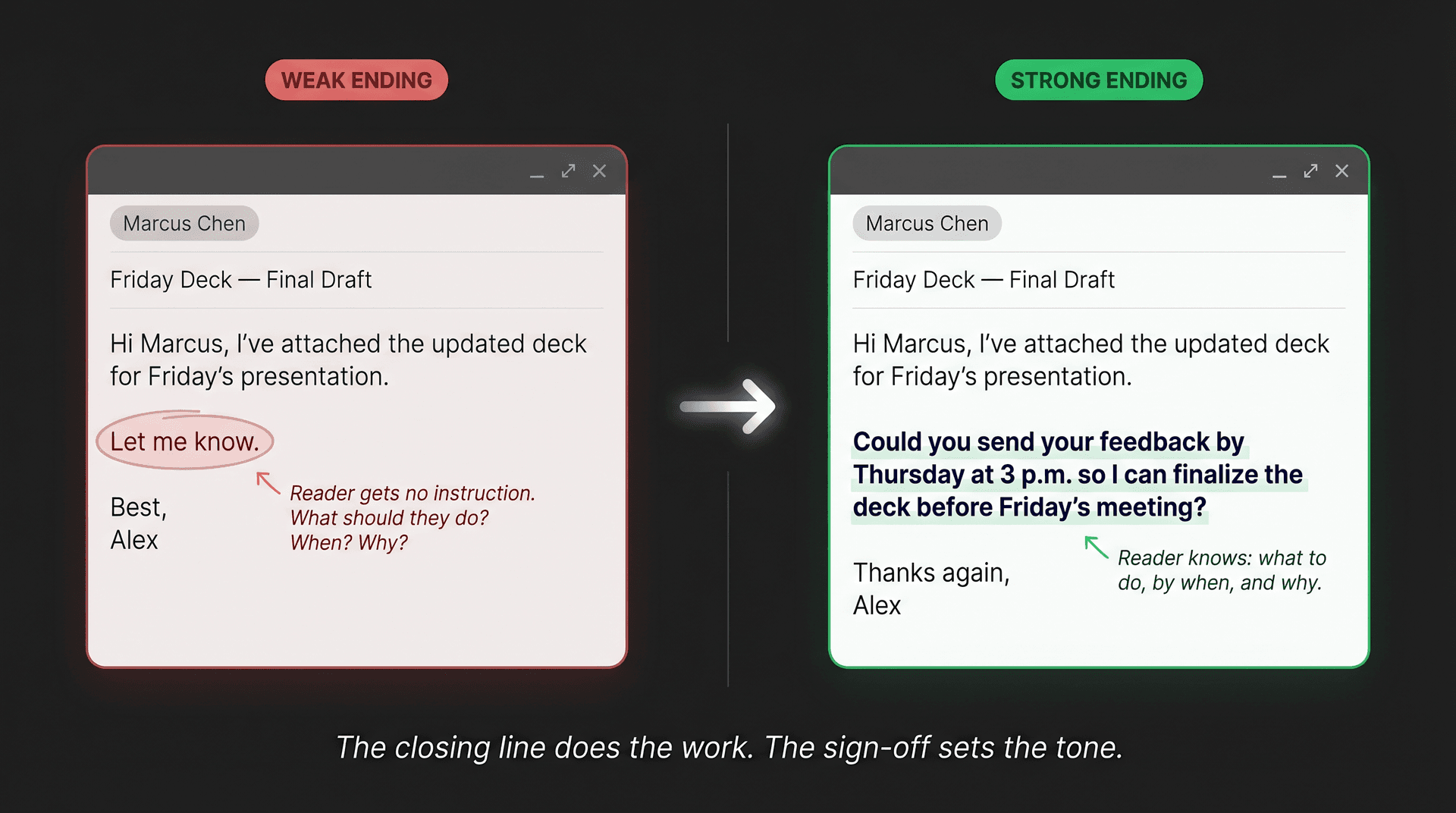
A weak ending sounds like this:
Let me know. Best, Alex
A stronger ending sounds like this:
Could you send your feedback by Thursday at 3 p.m. so I can finalize the deck before Friday's meeting? Thanks again, Alex
The second version works because the reader knows what to do, by when, and why. No back-and-forth to clarify. No ambiguity about urgency.
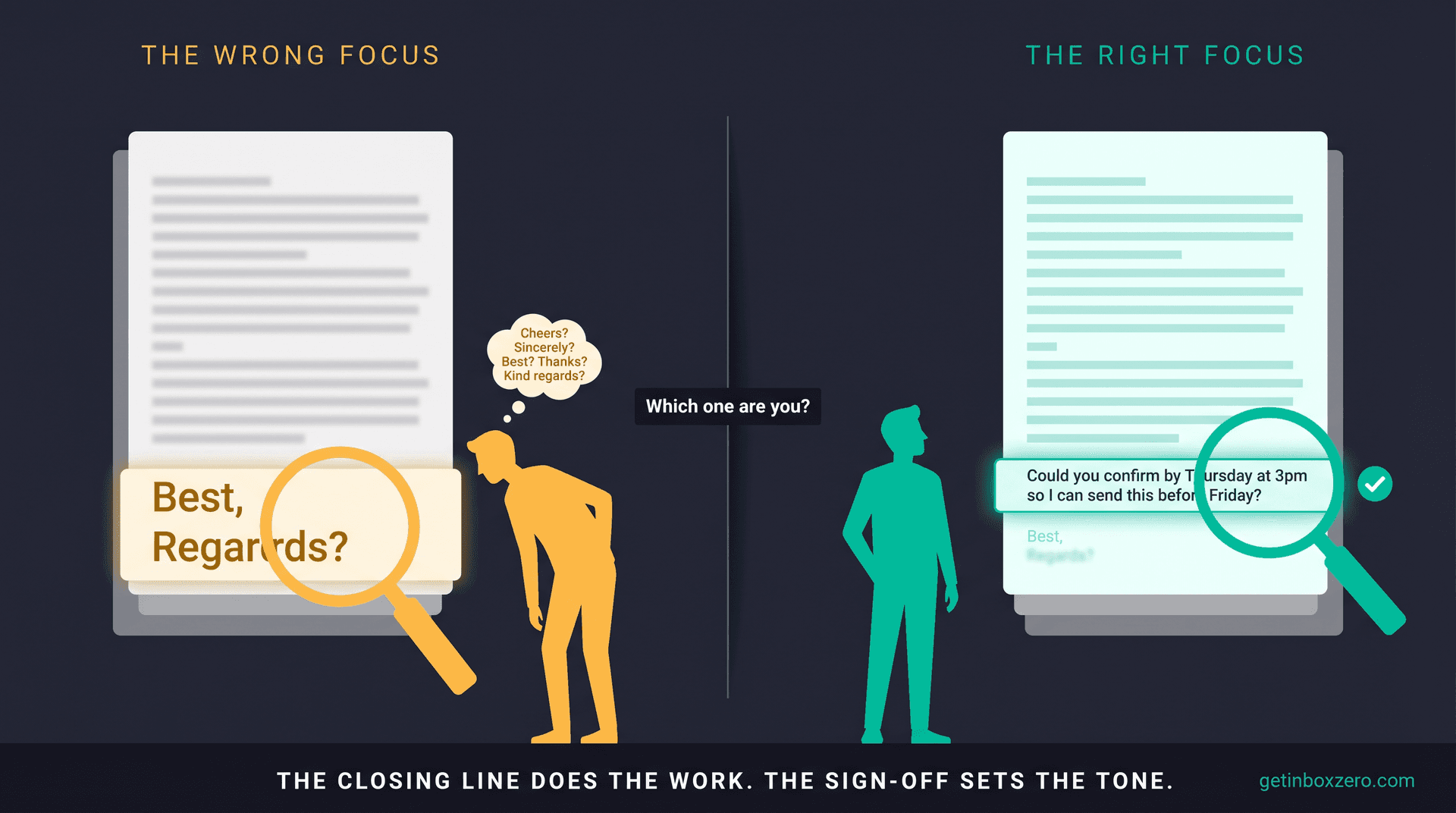
The core principle: the closing line does the work; the sign-off sets the tone.
For anyone looking to lift their email communication more broadly, this connects directly to a broader approach to email productivity.
The structure itself is simple: a clear closing line, an appropriate sign-off, and your name or signature. The sign-off should reflect your relationship with the recipient and the context of the message. But without that clear closing line, even the perfect sign-off can't rescue a vague ending.
Instead of "Let me know"
"Let me know" isn't wrong, but it hands the reader a blank page when they need a clear action.
| Weak | Stronger |
|---|---|
| Let me know. | Could you reply with A or B by Friday? |
| Let me know your thoughts. | What would you change before I send this to the client? |
| Let me know if you have questions. | If anything is unclear, please reply here and I'll clarify today. |
| Let me know if that works. | Does Tuesday at 11 a.m. work for a 30-minute call? |
| Let me know what you think. | Do you approve the updated timeline? |
Instead of "Just checking in"
Common in follow-ups, but it adds pressure without context.
| Weak | Stronger |
|---|---|
| Just checking in on this. | I'm following up because we need a final answer before Friday's launch. |
| Any update? | Are we still on track for the Thursday handoff? |
| Bumping this. | Re-surfacing this in case it got buried. Could you confirm by EOD? |
| Following up again. | If priorities have changed, should I pause this until next week? |
A 2024 workplace survey found that "per my last email" ranked as the most passive-aggressive phrase in workplace email, and passive-aggressive language can affect productivity and trust. The same logic applies to vague check-ins that carry implicit frustration. Specific, contextual follow-up language avoids that read entirely.
Instead of "Please advise"
This one tends to come across as curt, especially when the email lacks context.
| Weak | Stronger |
|---|---|
| Please advise. | What would you recommend as the next step? |
| Please advise. | Should I proceed with option A or wait for approval? |
| Please advise. | Who is the best person to review this? |
| Please advise. | Is there anything else you need before I send the final version? |
How to Choose the Right Email Sign-Off
You don't need to guess. When you're unsure what sign-off to use, run through four questions in order. The answers usually make the decision obvious.
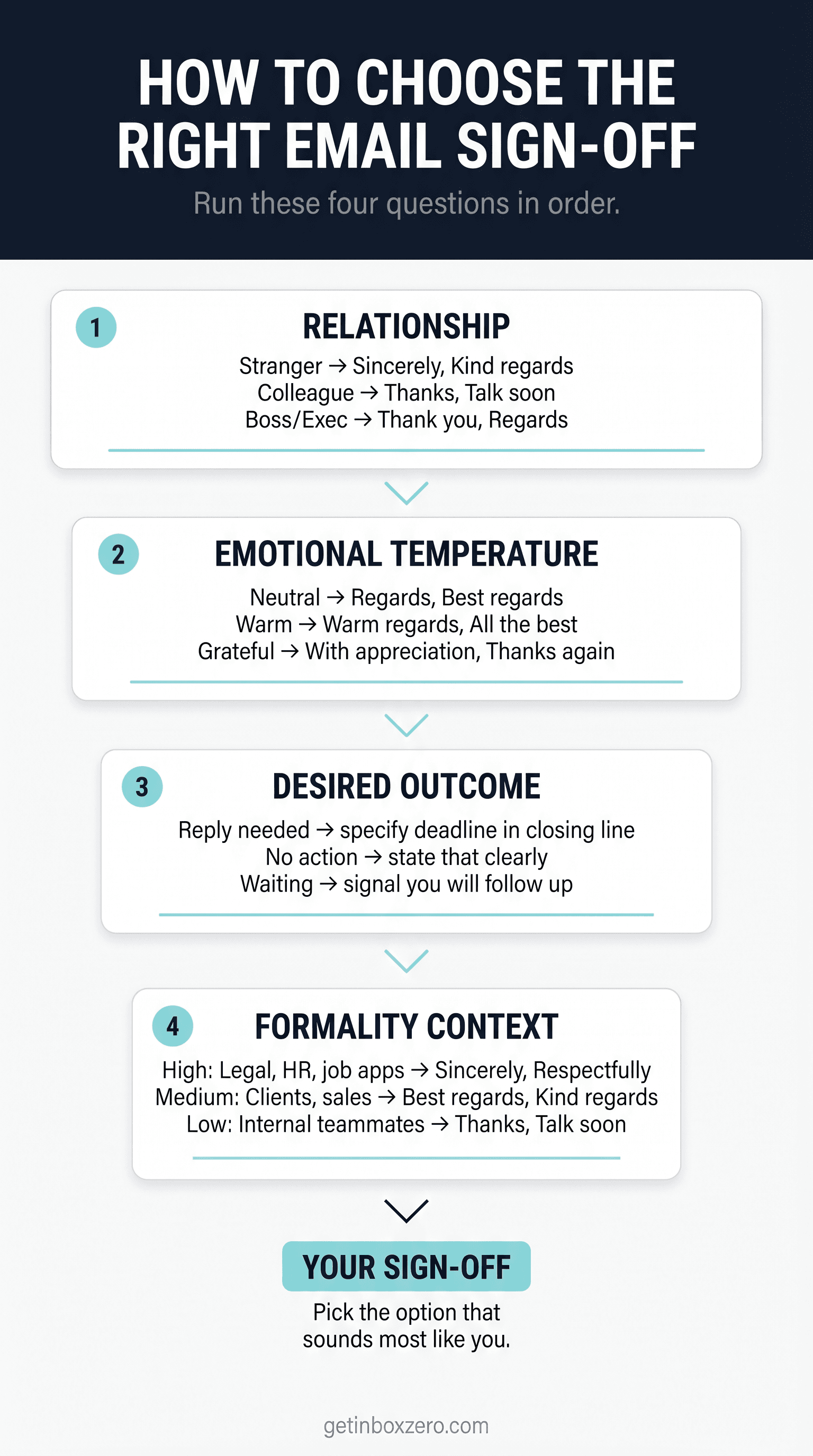
1. How well do you know this person?
| Relationship | Sign-offs that fit |
|---|---|
| Stranger | Sincerely, Kind regards, Best regards |
| New professional contact | Kind regards, Thank you, Best regards |
| Existing client | Best regards, Warm regards, With appreciation |
| Close colleague | Thanks again, Talk soon, Appreciate it |
| Direct report | Thanks, Appreciate your work on this, Talk soon |
| Boss or executive | Thank you, Regards, Kind regards |
| Recruiter/interviewer | Sincerely, Thank you for your time, Best regards |
2. What's the emotional temperature?
| Tone of the email | Sign-offs that fit |
|---|---|
| Neutral | Regards, Best regards, Kind regards |
| Warm | Warm regards, All the best, Take care |
| Grateful | With appreciation, Thanks again, I appreciate your help |
| Serious | Sincerely, Respectfully, Regards |
| Apologetic | Thank you for your understanding, Sincerely |
| Excited | Looking forward, Excited to continue, All the best |
| Urgent | Thank you, I appreciate your quick help, Regards |
3. What do you need them to do?
| Desired outcome | Closing line template |
|---|---|
| Reply | "Could you reply with your preference by Friday?" |
| Approve | "Please reply 'approved' if this looks good." |
| Review | "Could you leave comments in the doc by Wednesday?" |
| Decide | "Which option should we move forward with?" |
| Schedule | "Do either Tuesday at 10 or Wednesday at 2 work?" |
| Take no action | "No action needed; sharing for visibility." |
| Wait | "I'll send the final version once legal signs off." |
| Escalate | "Please route this to the right owner if it's not you." |
4. How much formality does the context require?
| Context | Formality level | Best endings |
|---|---|---|
| Legal, HR, compliance | High | Sincerely, Respectfully, Regards |
| Job application | High | Sincerely, Thank you for your consideration |
| Executive update | Medium-high | Regards, Kind regards, Thank you |
| Client work | Medium | Best regards, Kind regards, With appreciation |
| Sales follow-up | Medium | Thanks again, Looking forward, Best regards |
| Internal project | Medium-low | Thanks, Appreciate it, Talk soon |
| Friendly teammate | Low | Thanks!, Talk soon, Have a great one |
Run those four questions for any email and you'll narrow to two or three options. From there, pick the one that sounds most like you. Choosing intentionally builds email management habits that compound over time.
Best Professional Email Sign-Offs for Every Situation
For times when you want a quick reference without the full decision system, this table covers the most common professional situations. For a deeper look at email management strategies that go deeper, the full guide covers these contextual decisions in more detail.
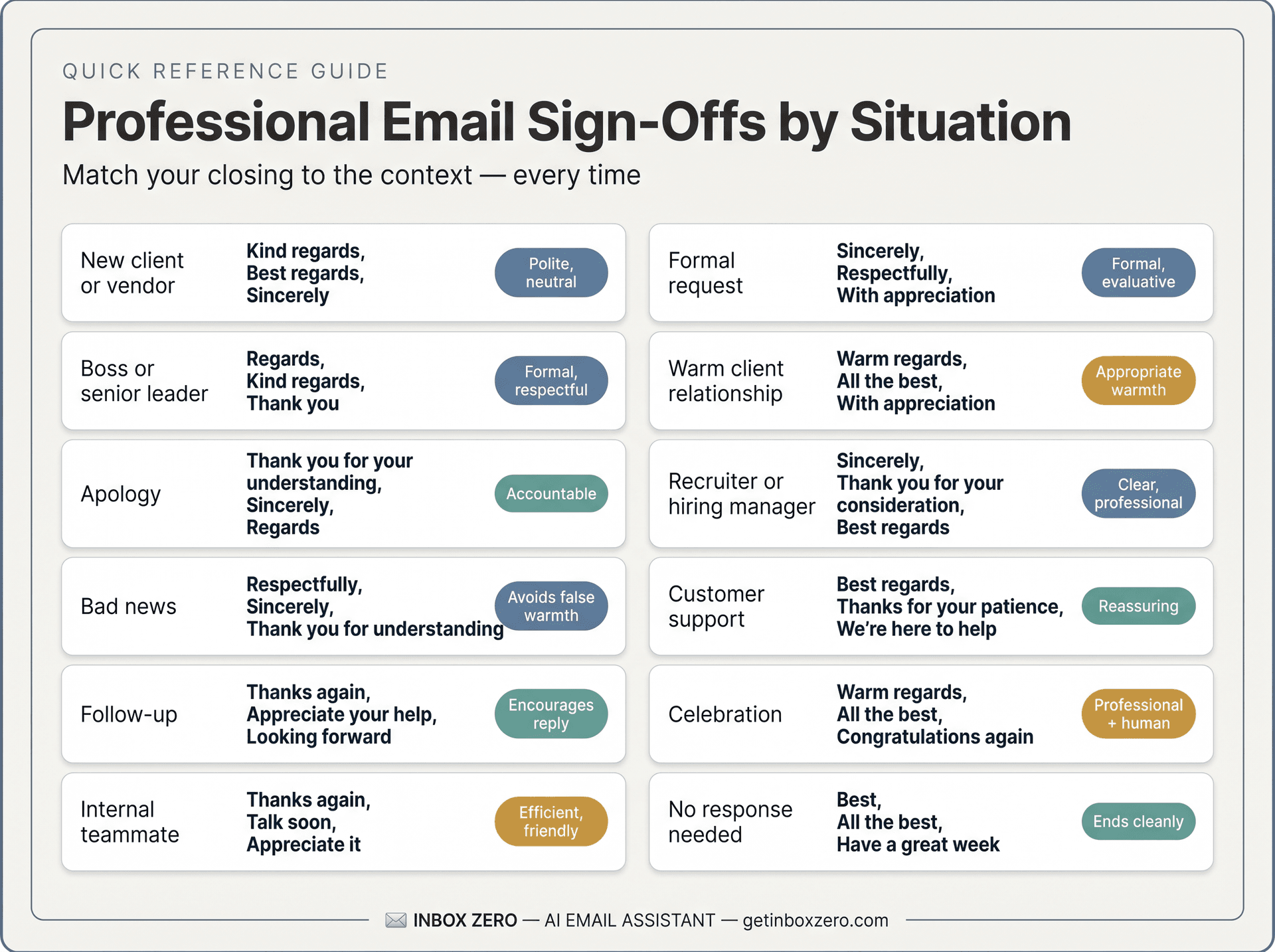
| Situation | Best sign-offs | Why they work |
|---|---|---|
| New client or vendor | Kind regards, Best regards, Sincerely | Polite, neutral, safe |
| Formal request | Sincerely, Respectfully, With appreciation | Shows seriousness and respect |
| Warm client relationship | Warm regards, All the best, With appreciation | Professional but human |
| Internal teammate | Thanks again, Talk soon, Appreciate it | Efficient and friendly |
| Boss or senior leader | Regards, Kind regards, Thank you | Clear without overfamiliarity |
| Recruiter or hiring manager | Sincerely, Thank you for your consideration, Best regards | Formal enough for evaluation |
| Customer support | Best regards, Thanks for your patience, We're here to help | Reassuring and service-oriented |
| Follow-up | Thanks again, Appreciate your help, Looking forward | Encourages reply without sounding cold |
| Apology | Thank you for your understanding, Sincerely, Regards | Keeps the tone accountable |
| Bad news | Respectfully, Sincerely, Thank you for understanding | Avoids false warmth |
| Celebration or congratulations | Warm regards, All the best, Congratulations again | Adds appropriate warmth |
| No response needed | Best, All the best, Have a great week | Ends cleanly without pressure |
25 Alternatives to "Best" in Email
"Best" is popular for a reason: it's short, inoffensive, and works in almost any context. But if every email you send ends with "Best," it starts to feel like a rubber stamp.
25 alternatives, organized by register:
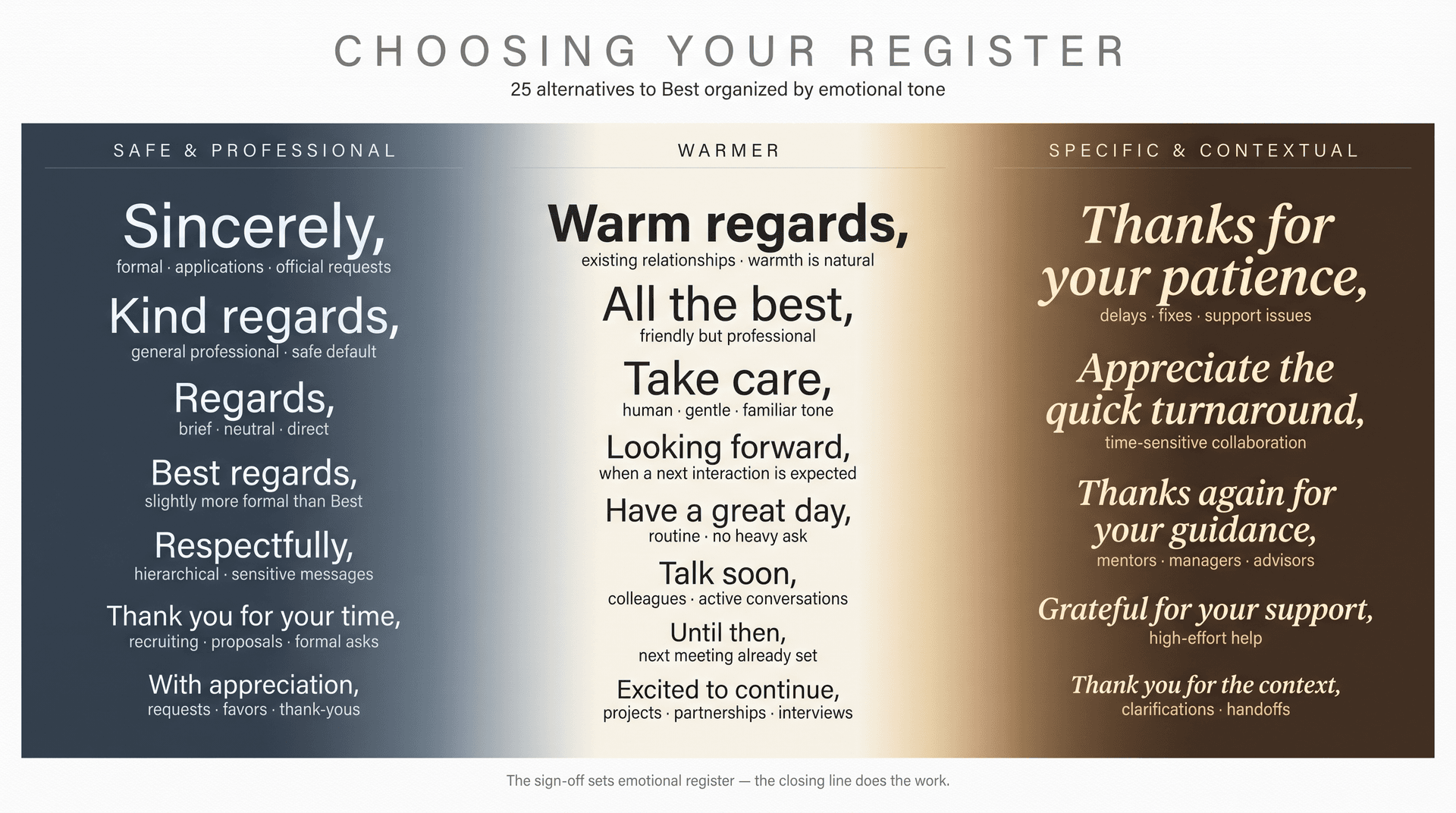
Safe, professional alternatives
| Alternative | Best for |
|---|---|
| Kind regards, | General professional emails |
| Best regards, | Slightly more formal than "Best" |
| Regards, | Brief, neutral, direct emails |
| Sincerely, | Formal emails, applications, official requests |
| All the best, | Friendly but still professional |
| With appreciation, | Requests, thank-yous, favors |
| Thank you for your time, | Recruiting, proposals, formal asks |
| Thank you for considering this, | Requests where approval isn't guaranteed |
| I appreciate your help, | Collaborative requests |
| Respectfully, | Formal, hierarchical, or sensitive messages |
Warmer alternatives
| Alternative | Best for |
|---|---|
| Warm regards, | Existing relationships where warmth is natural |
| Take care, | Human, gentle, familiar professional tone |
| Have a great day, | Routine emails with no heavy ask |
| Have a great week, | End-of-week or low-pressure notes |
| Looking forward, | When a next interaction is expected |
| Talk soon, | Close colleagues or active conversations |
| Speak soon, | Scheduled call or meeting coming up |
| Until then, | When you already have a next meeting set |
| Excited to continue, | Projects, partnerships, interviews |
| More soon, | Ongoing updates or async work |
More specific alternatives
| Alternative | Best for |
|---|---|
| Thanks again for your guidance, | Mentors, managers, advisors |
| Appreciate the quick turnaround, | Time-sensitive collaboration |
| Grateful for your support, | High-effort help |
| Thanks for your patience, | Delays, fixes, support issues |
| Thank you for the context, | Clarifications, handoffs |
Varying your sign-offs is part of building smarter inbox habits overall. It keeps your communication from feeling templated and helps each message land with the right tone.
25 Alternatives to "Thanks" in Email
"Thanks" is often the right instinct. Most professional emails involve a request, a handoff, a review, or a decision, and gratitude fits naturally. The issue is when it becomes automatic regardless of context.
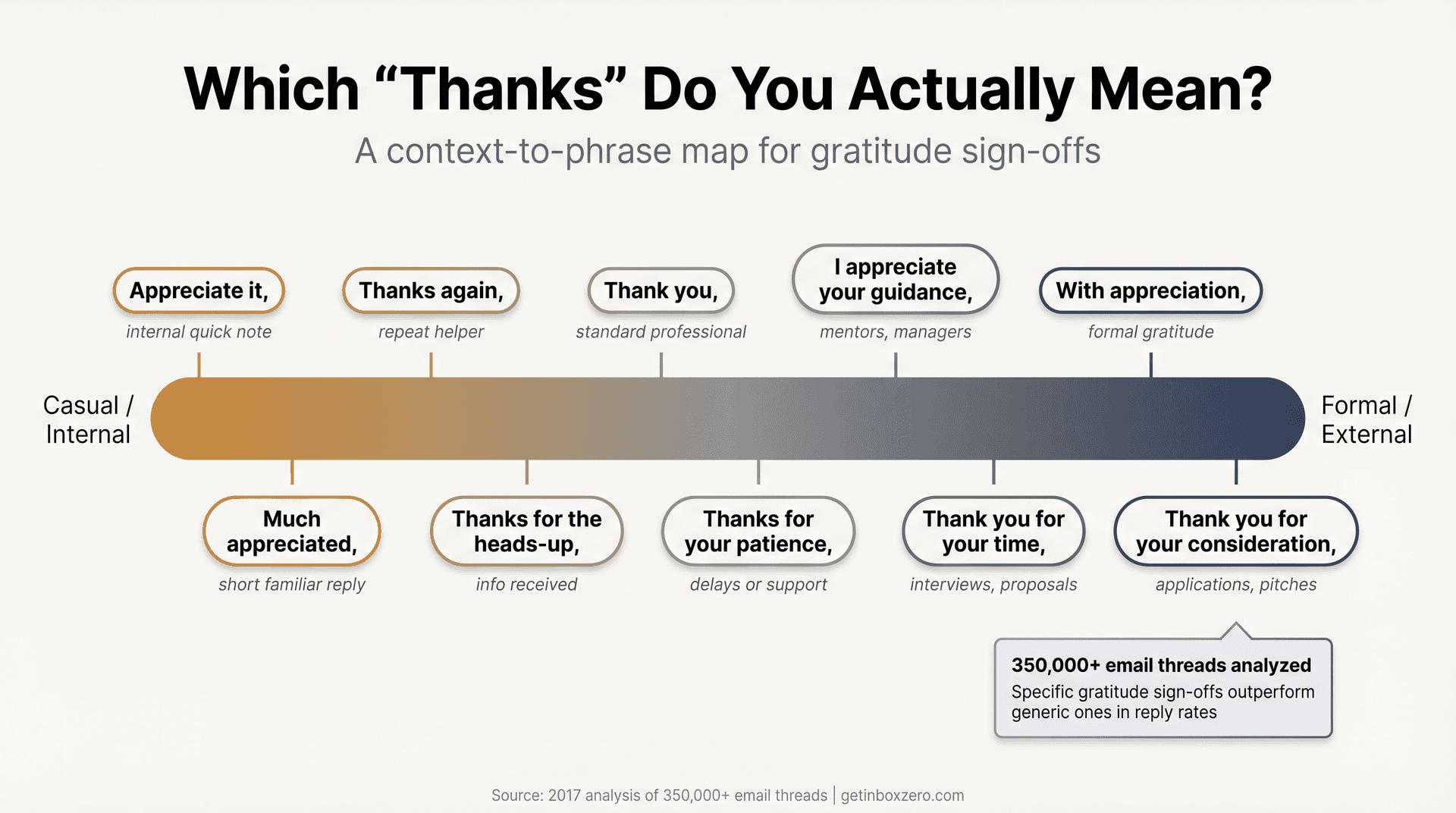
| Alternative | Use when |
|---|---|
| Thanks again, | They've already helped once |
| Many thanks, | Slightly warmer than "Thanks" |
| Thank you, | More formal than "Thanks" |
| Thank you for your time, | Interview, proposal, formal request |
| Thank you for your consideration, | Application, pitch, approval request |
| Thank you for reviewing this, | You sent work for feedback |
| Thank you for taking a look, | Light review request |
| Thank you for your help, | Direct help request |
| I appreciate your help, | More personal than "Thank you" |
| I appreciate your time, | Busy recipient |
| I appreciate your guidance, | Advice, mentorship, leadership |
| I appreciate the context, | They clarified something |
| I appreciate the quick response, | They replied quickly |
| Appreciate it, | Casual internal email |
| Much appreciated, | Short internal or familiar note |
| Grateful for your help, | Bigger favor |
| With appreciation, | Formal gratitude |
| Thanks for your patience, | Delay or support issue |
| Thanks for your flexibility, | Scheduling or changes |
| Thanks for the thoughtful feedback, | Reviews and edits |
| Thanks for flagging this, | Issue or risk surfaced |
| Thanks for keeping this moving, | Project coordination |
| Thanks for the update, | Acknowledgment |
| Thanks for confirming, | Confirmation received |
| Thanks for the heads-up, | New information or warning |
A 2017 analysis of more than 350,000 email threads found that closings containing gratitude correlated with higher response rates than closings without gratitude. That data is older and directional rather than universal, but the pattern is useful: gratitude tends to help when it's specific and sincere. "Thanks for reviewing the draft" lands better than "Thanks."
Should You Use "Thanks in Advance"?
Sometimes yes, sometimes no.
"Thanks in advance" can work when the task is routine, already expected, and low-friction. It can sound presumptuous when the recipient hasn't agreed to help, when the ask is large, or when there's a power imbalance.
The same analysis found that "thanks in advance" had the highest response rate among common closings in its dataset. But the researchers also noted that the phrase carries "a bit of posturing" because it thanks someone for a response before they've written one. High response rate doesn't mean universally appropriate.
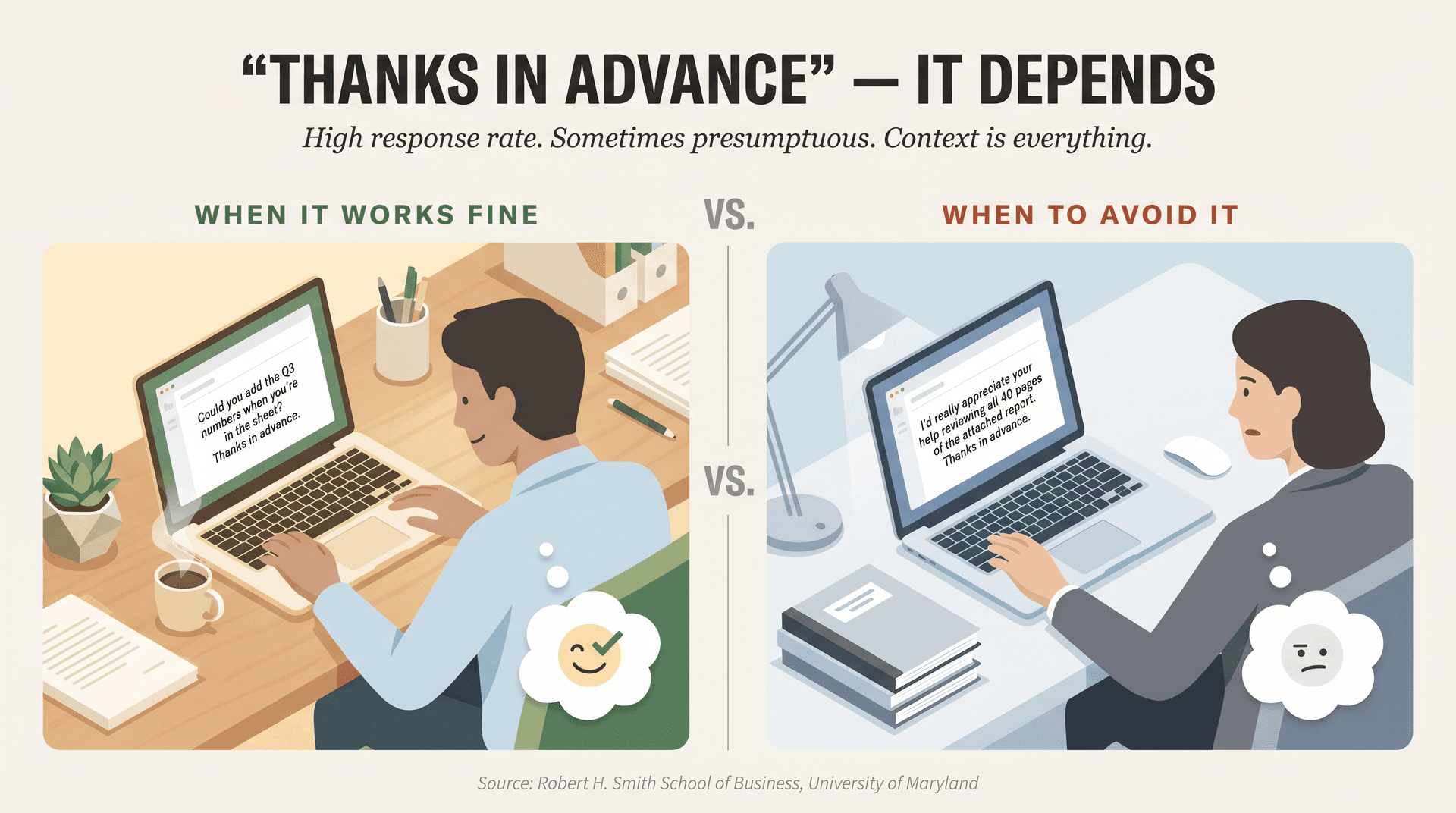
When "thanks in advance" works fine
| Situation | Example |
|---|---|
| The recipient owns the task | "Please upload the final invoice by Friday. Thanks in advance." |
| The request is small | "Could you confirm the spelling of your title? Thanks in advance." |
| You have an established working relationship | "Can you add the Q3 numbers when you're in the sheet? Thanks in advance." |
| You're writing to a shared inbox | "Please route this to the billing team. Thanks in advance." |
When to avoid it
| Situation | Better ending |
|---|---|
| You're asking a favor from a stranger | "Thank you for considering this." |
| You're making a large request | "I'd appreciate any guidance you're willing to share." |
| The recipient may say no | "Please let me know if this is possible." |
| You're writing upward | "Thank you for your time." |
| The email already sounds urgent | "I appreciate your help with this." |
The Robert H. Smith School of Business at the University of Maryland cautions that "thanks in advance" can assume compliance before the person has agreed. Their suggested alternatives include "Thank you for considering my request" and "Thank you for letting me know if this is doable."
Better alternatives to "thanks in advance" when you want the same energy without the presumption:
If you're able to send the contract today, I can get it into legal review before the end of the week. Thank you, Jordan
Or:
Would you be able to send the contract by 4 p.m. today? I appreciate your help, Jordan
125+ Professional Email Closing Lines by Situation
Use these as starting points. Each example shows a complete ending: closing line + sign-off + placeholder name.
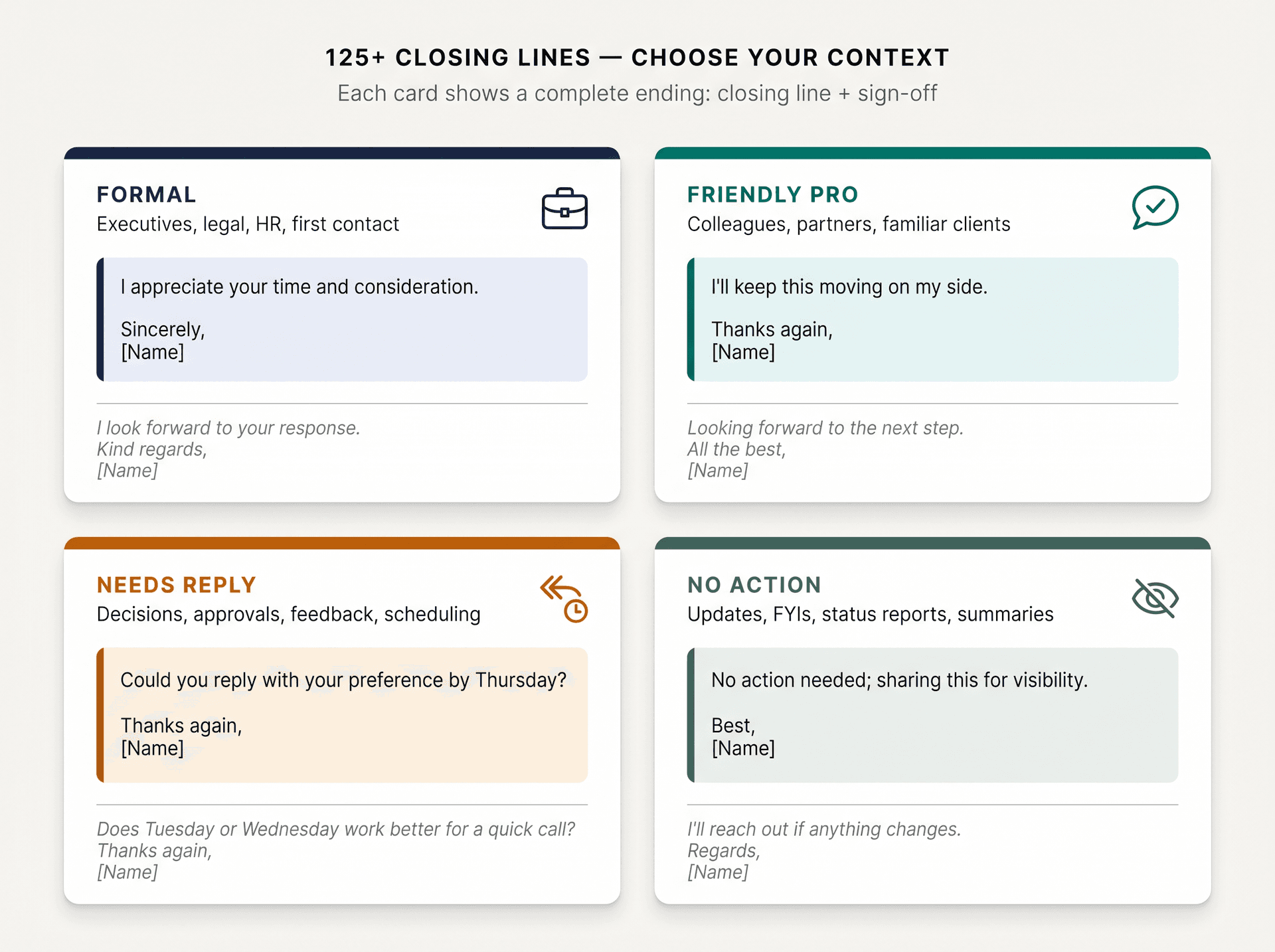
Formal professional emails
Best for: executives, legal, HR, government, finance, academia, first contact, serious decisions.
Please let me know if you need any additional documentation. Sincerely, [Name]
I appreciate your time and consideration. Respectfully, [Name]
I look forward to your response. Kind regards, [Name]
Thank you for reviewing this request. Best regards, [Name]
Please confirm receipt when convenient. Regards, [Name]
I appreciate your attention to this matter. Sincerely, [Name]
Thank you for considering the proposal. Respectfully, [Name]
I would be grateful for any guidance you can provide. Kind regards, [Name]
Friendly but professional
Best for: colleagues, partners, familiar clients, cross-functional teams.
I'll keep this moving on my side. Thanks again, [Name]
Appreciate your help with this. Talk soon, [Name]
Looking forward to the next step. All the best, [Name]
I'll send the updated version once I have the final numbers. Thanks, [Name]
Hope this helps. Best, [Name]
Excited to see this come together. Warm regards, [Name]
I'll follow up after the meeting. Speak soon, [Name]
Have a great rest of your week. Best regards, [Name]
When you need a response
Best for: decisions, approvals, feedback, scheduling, open questions.
Before you follow up, it helps to know whether your follow-up actually got read. That context can change how you frame the next message.
Could you reply with your preference by Thursday? Thanks again, [Name]
Please let me know whether option A or B works better. Kind regards, [Name]
Could you confirm whether we should proceed? Thank you, [Name]
If this looks good, please reply "approved" and I'll move it forward. Best regards, [Name]
Would you be able to send feedback by noon tomorrow? I appreciate your help, [Name]
Please send any edits directly in the doc by Friday. Thanks, [Name]
Could you share the best contact for this? With appreciation, [Name]
Does Tuesday or Wednesday work better for a quick call? Thanks again, [Name]
When no action is needed
Best for: updates, FYIs, status reports, summaries.
No action needed; sharing this for visibility. Best, [Name]
I'll reach out if anything changes. Regards, [Name]
I'll keep you posted as this moves forward. Thanks, [Name]
This is just an FYI for now. Best regards, [Name]
I'll send the next update after Friday's review. All the best, [Name]
No reply needed unless you spot an issue. Thanks, [Name]
I'll take it from here. Talk soon, [Name]
Sharing in case it's useful later. Best, [Name]
Research on business communication found that professionals reported increases in both communication frequency and the number of channels used at work, and that communication overload contributes to stress and lower productivity. Clear "no action needed" endings are a small but effective way to reduce that noise.
Follow-up emails
Best for: unanswered emails, proposals, approvals, late feedback, sales, recruiting.
When a thread has gone quiet, a clear follow-up ending makes all the difference. For a complete resource, see the full follow-up email template covering best practices across contexts. You can also use Inbox Zero to track which threads are still waiting for a reply so nothing slips through.
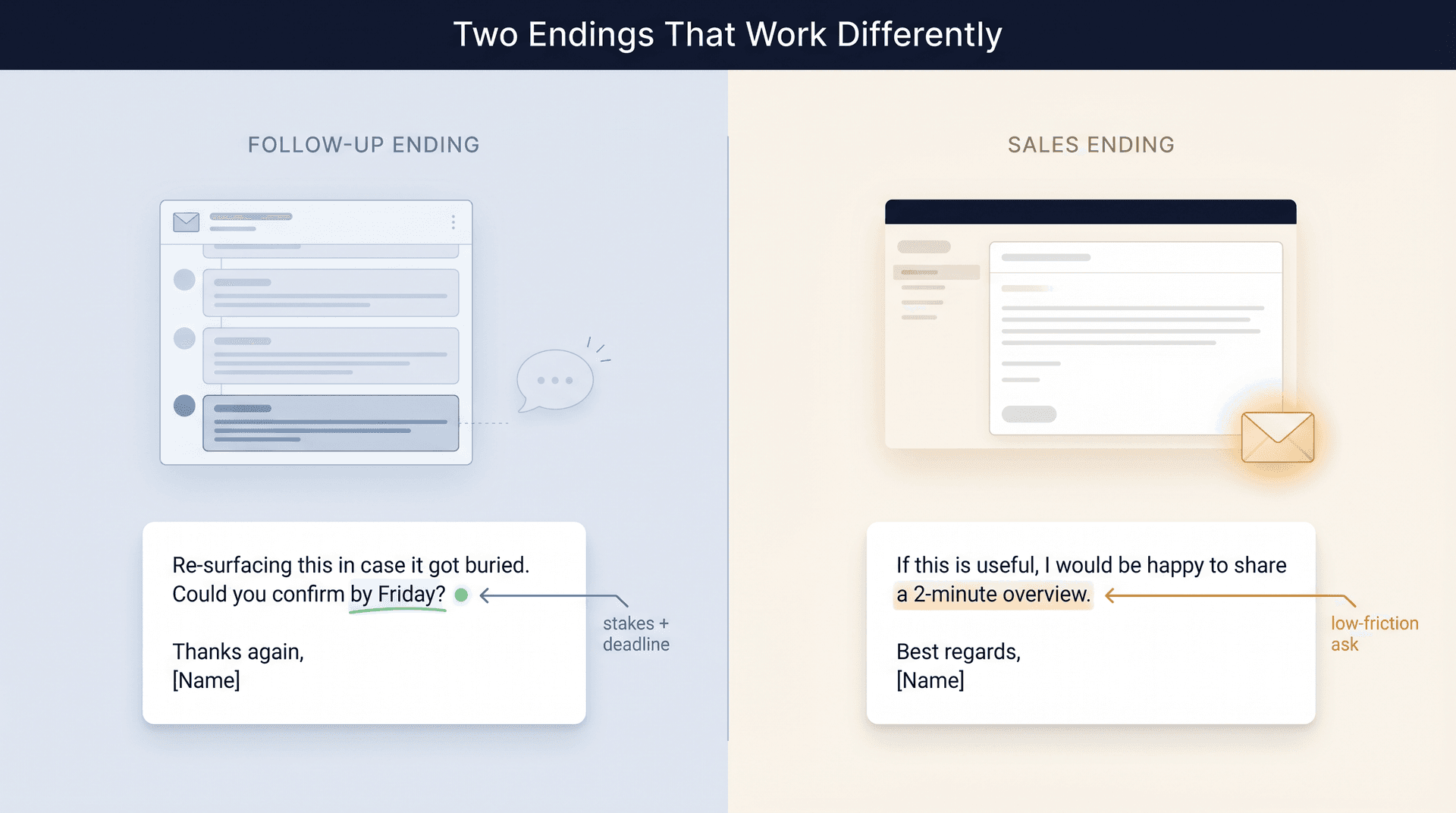
Re-surfacing this in case it got buried. Could you confirm by Friday? Thanks again, [Name]
I'm following up because we need a decision before the launch timeline locks. Kind regards, [Name]
Is this still a priority, or should I pause until next week? Thanks, [Name]
If now is not the right time, I'm happy to reconnect next month. Best regards, [Name]
Could you let me know whether this is still under review? Thank you, [Name]
I'll close the loop on my side if I don't hear back by Wednesday. Regards, [Name]
Would a shorter version be easier to review? Appreciate your help, [Name]
I'm happy to resend the attachment if it got missed. Thanks again, [Name]
Sales and partnership emails
Best for: discovery, proposals, outbound, renewals, partnerships.
One thing worth understanding from the recipient's side: automatically filtering cold emails on the receiving end is increasingly common, which means your ending needs to be low-friction and credible to make it through.
If this is useful, I'd be happy to share a 2-minute overview. Best regards, [Name]
Would it be worth comparing notes next week? Thanks, [Name]
If priorities have shifted, I'm happy to adjust the proposal. Kind regards, [Name]
I can send a shorter version if that would be easier to review. Best, [Name]
Would Tuesday or Thursday work for a quick conversation? Looking forward, [Name]
If there's a better owner for this, please feel free to point me their way. Thanks again, [Name]
I appreciate you taking a look. Best regards, [Name]
Happy to tailor this around your current priorities. With appreciation, [Name]
Customer support emails
Best for: resolving issues, explaining fixes, sharing next steps.
For teams handling high volumes of support email, email SLA practices for support teams offer a broader framework for how endings fit into response-time commitments. If your team uses a shared inbox, see also our guide on managing a shared inbox at scale.
Please reply here if anything still looks off. Best regards, [Name]
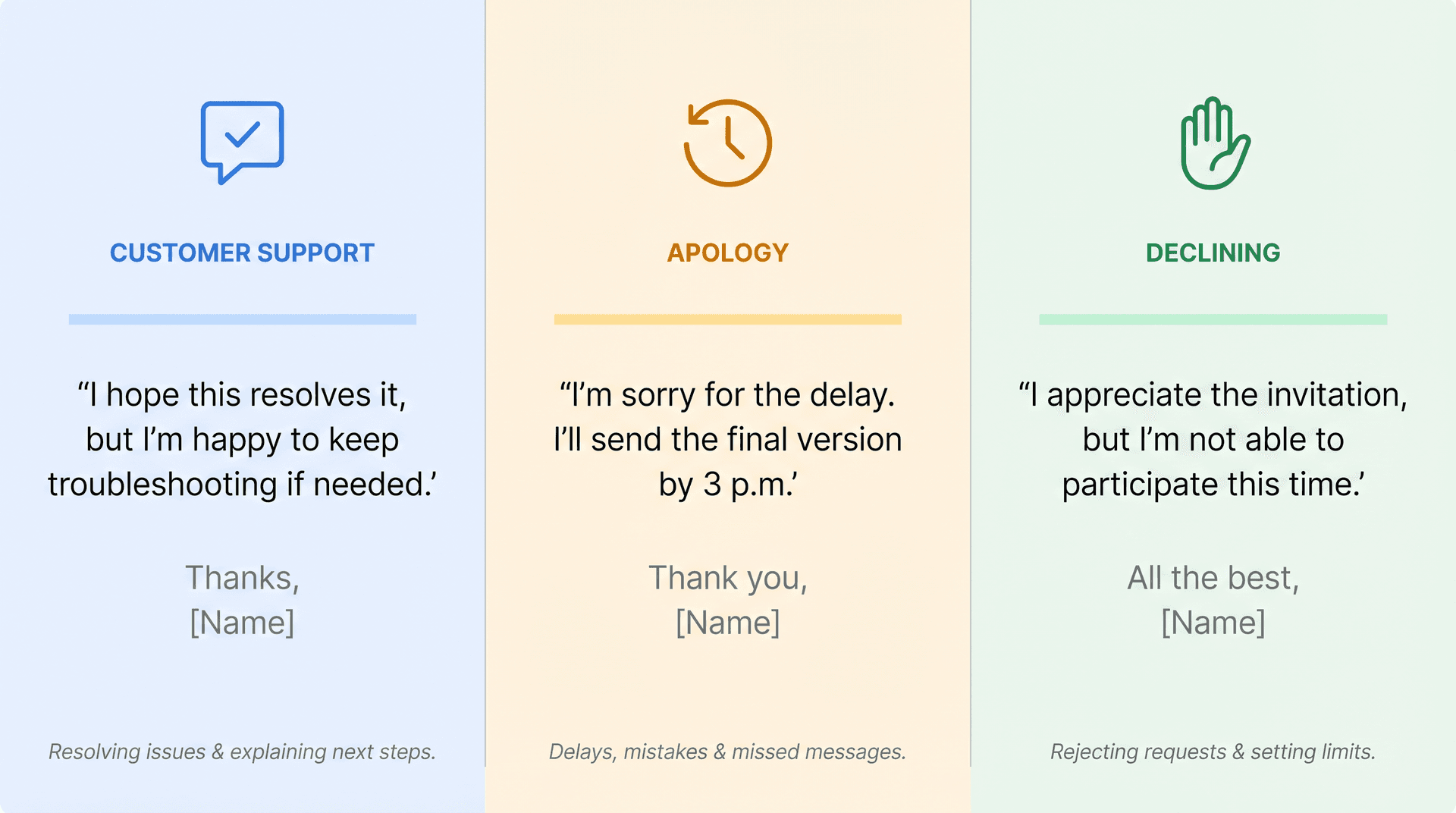
I hope this resolves it, but I'm happy to keep troubleshooting if needed. Thanks, [Name]
We'll monitor this and follow up if we see the issue return. Regards, [Name]
Thank you for your patience while we looked into this. Best, [Name]
If you can send a screenshot, we'll investigate further. Thanks again, [Name]
I've escalated this to our team and will update you by tomorrow. Kind regards, [Name]
You should be all set now. Take care, [Name]
Please let us know if we can help with anything else. Best regards, [Name]
Apology emails
Best for: delays, mistakes, missed messages, rescheduling, customer issues.
I appreciate your patience while I correct this. Sincerely, [Name]
Thank you for your understanding, and I'll make sure this is resolved today. Regards, [Name]
I'm sorry for the delay. I'll send the final version by 3 p.m. Thank you, [Name]
I appreciate you flagging this so we could fix it quickly. Best regards, [Name]
I'll follow up once the correction is complete. Sincerely, [Name]
Thank you for bearing with us while we work through this. Kind regards, [Name]
I understand the inconvenience and appreciate your patience. Respectfully, [Name]
I'll take steps to prevent this from happening again. Sincerely, [Name]
Declining or saying no
Best for: rejecting requests, passing on opportunities, setting limits.
I appreciate the invitation, but I'm not able to participate this time. All the best, [Name]
Thank you for thinking of me. I'll have to pass for now. Best regards, [Name]
I'm not the right fit for this, but I appreciate you reaching out. Kind regards, [Name]
I won't be able to take this on, but I hope it goes well. Best, [Name]
I appreciate the context, but we'll need to decline at this stage. Regards, [Name]
I'm unable to commit to that timeline, but I can revisit next month. Thanks, [Name]
This is outside our current scope, but I can suggest an alternative. Best regards, [Name]
Thank you again for the opportunity. Sincerely, [Name]
Job applications and recruiting emails
Best for: applications, interview follow-ups, offers, hiring conversations.
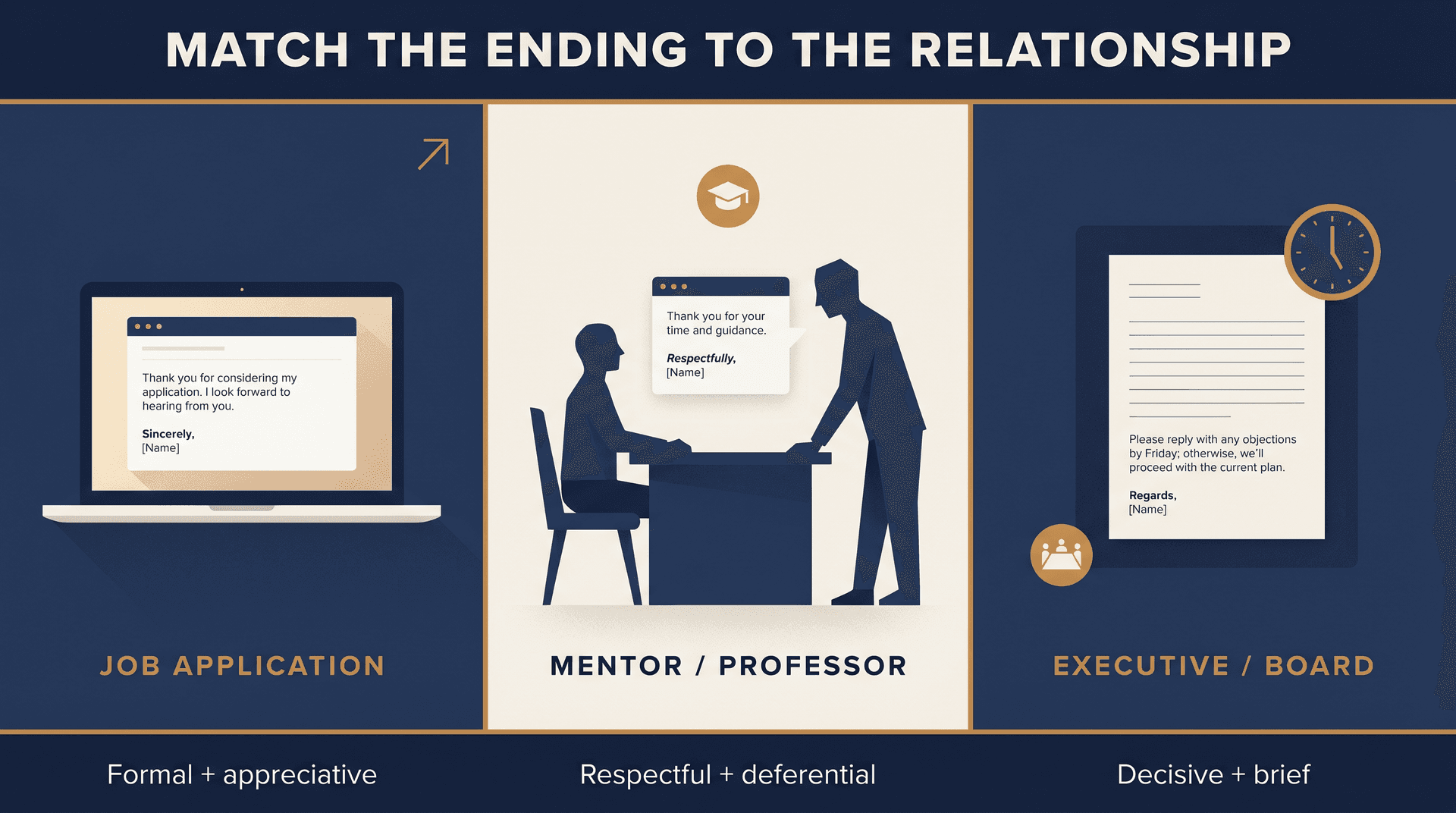
Thank you for considering my application. I look forward to hearing from you. Sincerely, [Name]
I appreciate your time and the opportunity to speak today. Best regards, [Name]
Please let me know if I can provide any additional materials. Thank you, [Name]
I enjoyed learning more about the role and the team. Sincerely, [Name]
I look forward to the next steps in the process. Best regards, [Name]
Thank you again for your time and consideration. Sincerely, [Name]
I'm excited about the possibility of contributing to the team. Kind regards, [Name]
Please feel free to contact me if any other information would be helpful. Thank you, [Name]
UMass Isenberg's 2024 professional email guidance recommends a professional closing phrase, sign-off, and signature, and includes job-search examples that pair next-step language with full contact details. The job search context is one where the ending carries real weight. More professional email best practices apply throughout the application process, from the subject line through to the signature.
Professors, mentors, and advisors
Best for: academic, advisory, coaching, or high-respect relationships.
Thank you for your time and guidance. Sincerely, [Name]
I appreciate any direction you can provide. Respectfully, [Name]
Please let me know if office hours would be a better time to discuss this. Thank you, [Name]
I appreciate your feedback on this. Best regards, [Name]
Thank you for considering my request. Sincerely, [Name]
I'm grateful for your help. Respectfully, [Name]
Please let me know if I should contact someone else about this. Kind regards, [Name]
Thank you again for your support. Sincerely, [Name]
Executive and board emails
Best for: senior leaders, investors, board members, high-stakes approvals.
If you regularly send to senior leadership, the principles in our guide on managing an executive inbox show how these same techniques apply from the other side of the thread.
Please reply with any objections by Friday; otherwise, we'll proceed with the current plan. Regards, [Name]
I'll send a concise update after the customer review. Best regards, [Name]
Thank you for the guidance. I'll incorporate it into the next version. Sincerely, [Name]
I appreciate your time and will keep this brief. Kind regards, [Name]
Please let me know if you'd like a deeper breakdown before the meeting. Regards, [Name]
I'll move this forward unless you recommend a different direction. Thank you, [Name]
I'll share the revised forecast by Monday. Best regards, [Name]
Thank you for reviewing this. Respectfully, [Name]
Internal project emails
Best for: async work, product, operations, marketing, engineering, finance.
I'll update the tracker once the final numbers are in. Thanks, [Name]
Please add your comments directly in the doc. Appreciate it, [Name]
I'll take the first pass and send it back for review. Talk soon, [Name]
No action needed unless you see a blocker. Best, [Name]
I'll bring this up in standup tomorrow. Thanks, [Name]
Could you confirm the owner before EOD? Thanks again, [Name]
I'll mark this as done once QA signs off. Best, [Name]
Please flag anything I missed. Appreciate your help, [Name]
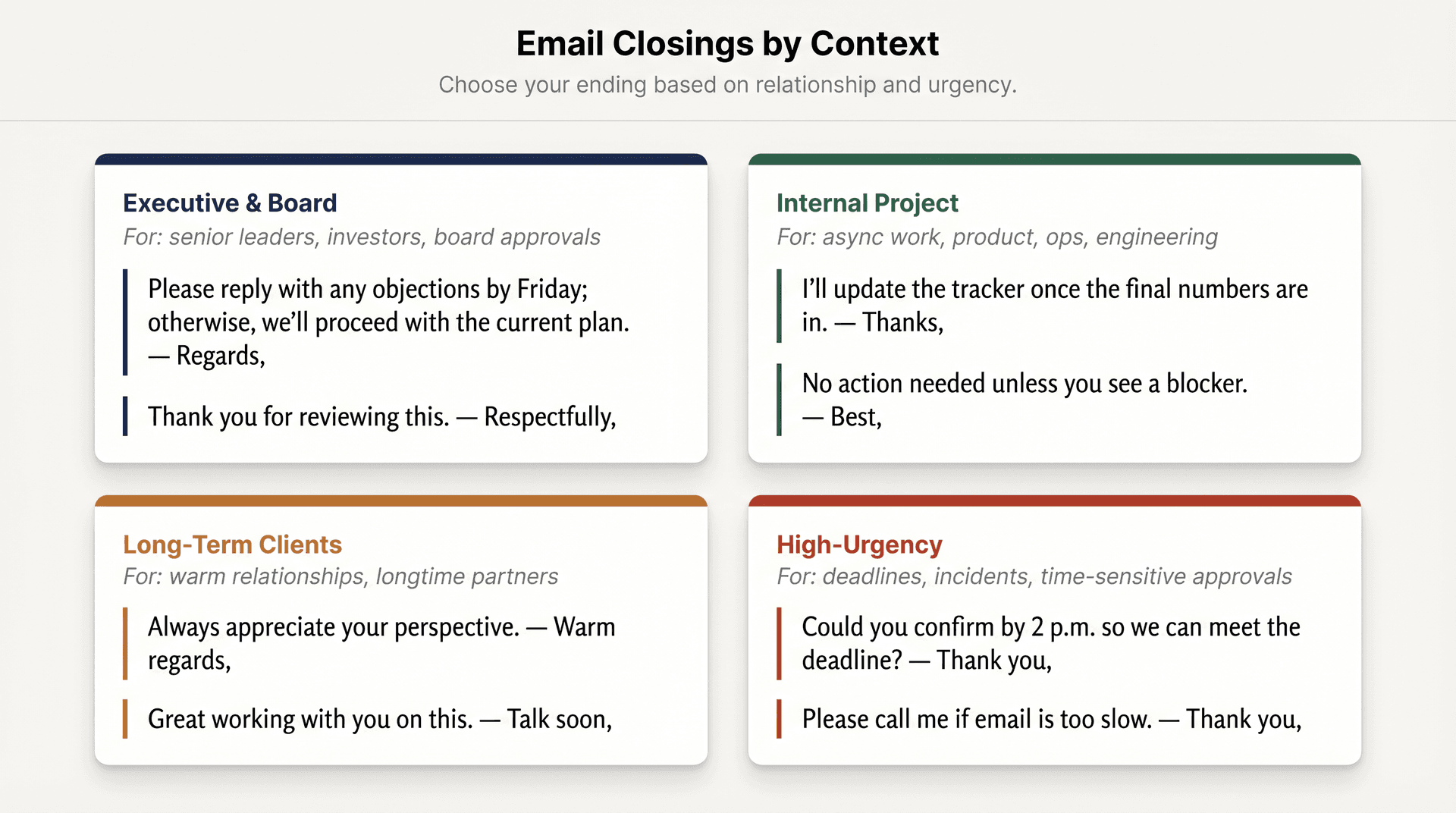
Long-term clients and trusted partners
Best for: warm relationships, collaborators, longtime clients, trusted vendors.
Always appreciate your perspective. Warm regards, [Name]
Excited to keep building on this. All the best, [Name]
Thanks again for being so flexible. Take care, [Name]
I'll send more soon. Warmly, [Name]
Great working with you on this. Talk soon, [Name]
I appreciate everything you've put into this. With gratitude, [Name]
Looking forward to the next conversation. Warm regards, [Name]
Have a great weekend. Best, [Name]
High-urgency emails
Best for: deadlines, incidents, time-sensitive approvals.
Could you confirm by 2 p.m. so we can meet the deadline? Thank you, [Name]
Please reply with any blockers as soon as possible. Regards, [Name]
I'll proceed with the current version unless I hear otherwise by noon. Thanks, [Name]
This is time-sensitive, so I appreciate a quick confirmation. Best regards, [Name]
Please call me if email is too slow. Thank you, [Name]
I'll be online for the next hour if questions come up. Best, [Name]
Thank you for prioritizing this. Regards, [Name]
I appreciate your quick help here. Thanks, [Name]
Email Closing Lines by Tone
Sometimes the sign-off is less important than the sentence right before it. These closing lines let you control the exact emotional register of your ending, whatever sign-off you choose.
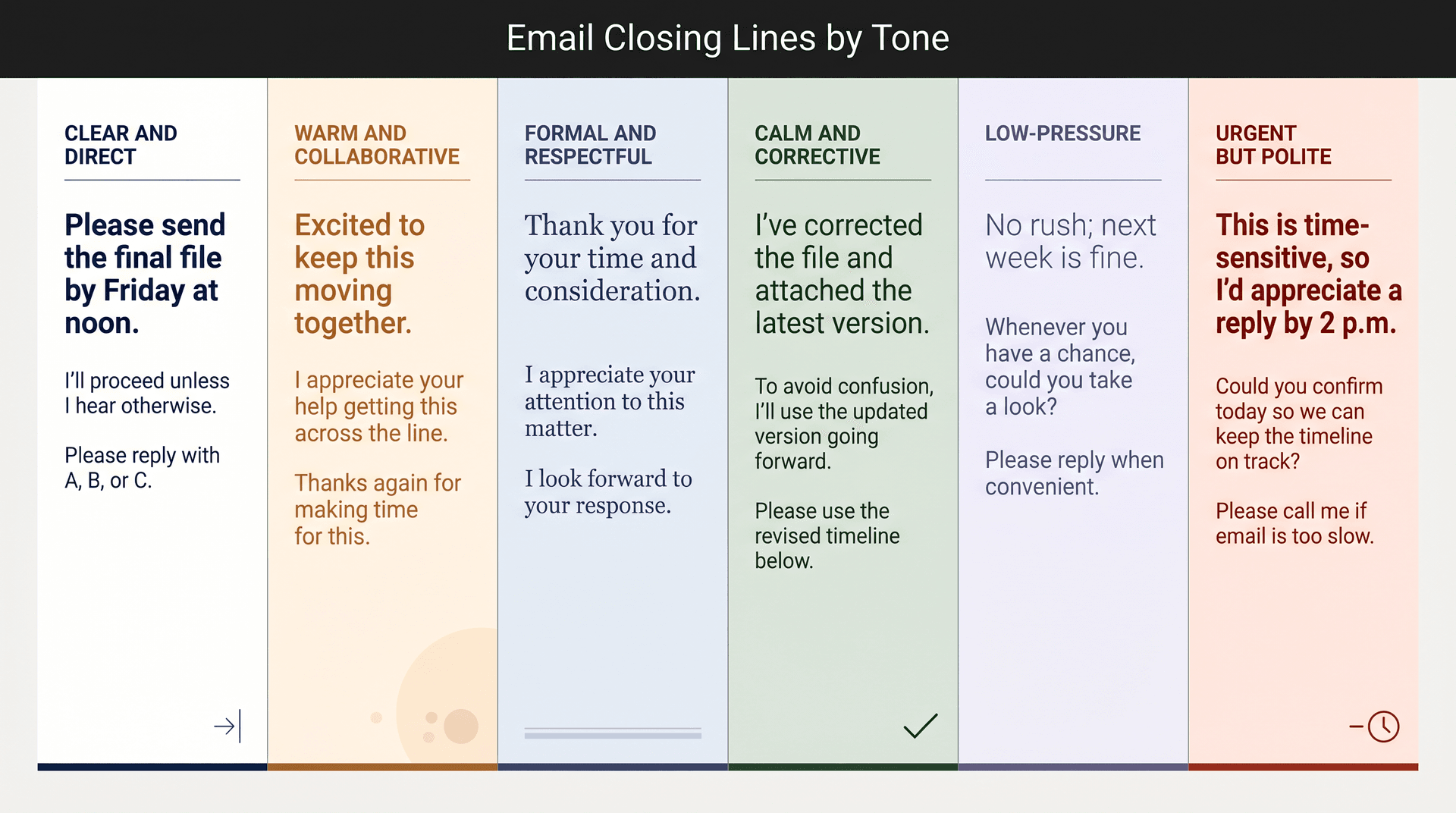
Clear and direct
→ Please send the final file by Friday at noon.
→ I'll proceed unless I hear otherwise by Wednesday.
→ Could you confirm the owner for this?
→ Please reply with A, B, or C.
→ I'll update the tracker once this is complete.
Warm and collaborative
→ Excited to keep this moving together.
→ I appreciate your help getting this across the line.
→ Thanks again for making time for this.
→ Looking forward to building on this.
→ I'm glad we were able to align on the next step.
Formal and respectful
→ Thank you for your time and consideration.
→ I appreciate your attention to this matter.
→ Please let me know if you require any further information.
→ I look forward to your response.
→ Thank you for reviewing this request.
Calm and corrective
→ To avoid confusion, I'll use the updated version going forward.
→ I've corrected the file and attached the latest version here.
→ I'll follow up once the issue is resolved.
→ Thank you for your patience while we work through this.
→ Please use the revised timeline below.
Low-pressure
→ No rush; next week is fine.
→ No action needed unless you have concerns.
→ Whenever you have a chance, could you take a look?
→ If now is not the right time, I'm happy to revisit later.
→ Please reply when convenient.
Urgent but polite
→ This is time-sensitive, so I'd appreciate a reply by 2 p.m.
→ Could you confirm today so we can keep the timeline on track?
→ Please call me if email is too slow.
→ I'll be online for the next hour if questions come up.
→ Thank you for prioritizing this.
Email Sign-Offs That Can Backfire (Use With Caution)
Not every sign-off is right or wrong. Context determines whether they land well.
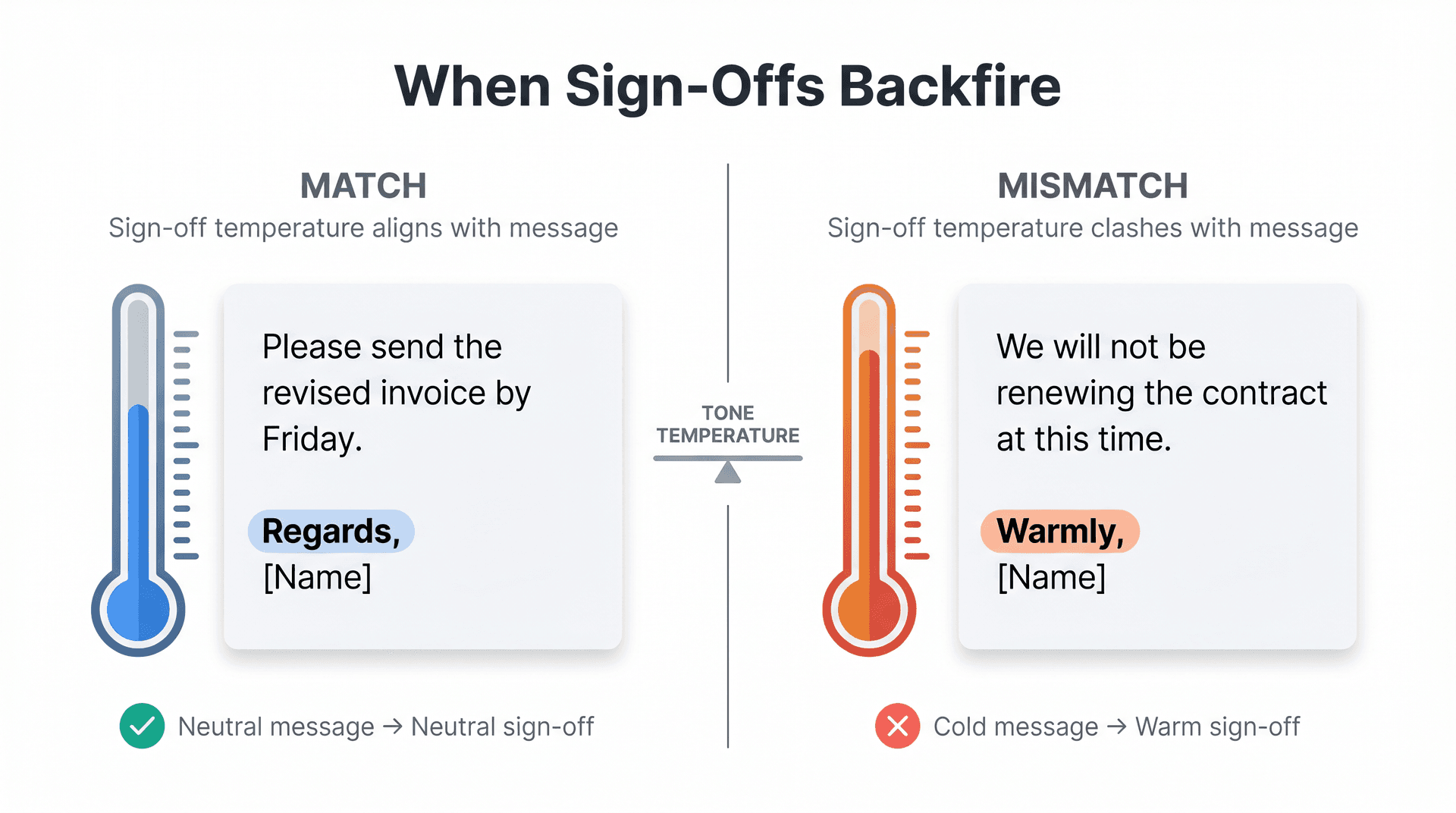
"Regards,"
Use it for: neutral, businesslike messages where brevity is appropriate. Think twice when: the email already sounds cold or corrective. Plain "Regards" can amplify the chill.
Please send the revised invoice by Friday. Regards, [Name]
That works for a routine request. For a message that contains feedback or correction, "Kind regards" softens without losing professionalism.
"Warmly," and "Warm regards,"
Use them for: people you know, supportive notes, relationship-heavy correspondence. Avoid when: the message is negative, disciplinary, legalistic, or purely transactional.
A warm sign-off on a cold or corrective email can come across as tone-deaf. Match the temperature of the message, not the temperature of your general relationship.
"Respectfully,"
Use it for: formal disagreement, government correspondence, academia, situations with a clear hierarchy, or sensitive issues. Avoid when: a neutral sign-off would do. In ordinary workplace email, it can sound pointed or overly ceremonial.
"Cheers,"
Use it for: UK- and Australia-influenced workplaces, casual colleagues, friendly ongoing relationships. Avoid when: writing to a formal US audience, executives you don't know well, legal or HR matters, or any high-stakes situation.
Email etiquette guidance notes that "Cheers" is common in the UK, Australia, and some corporate cultures, but should only be used when you know the audience is comfortable with it. When in doubt, skip it.
"Talk soon,"
Use it for: someone you actually plan to speak with in the near future. Avoid when: there's no next conversation planned. "Talk soon" implies one is coming.
"Sent from my iPhone"
Not a sign-off: it's an auto-inserted device tag. It can excuse brevity in casual threads, but don't rely on it for important professional emails where a real signature matters.
Email Sign-Offs to Avoid at Work
A few closings reliably create friction in professional contexts.
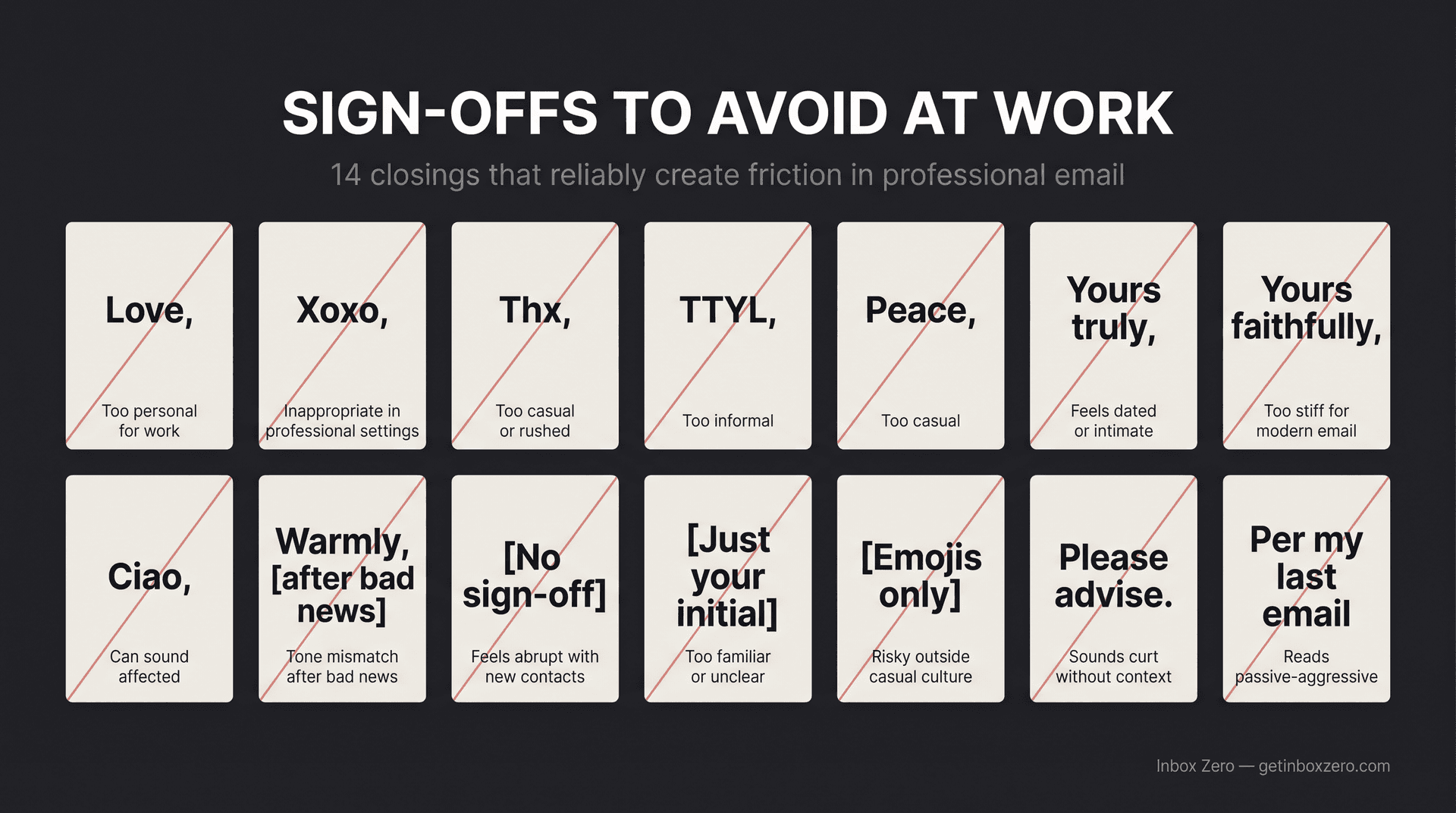
| Avoid | Why |
|---|---|
| Love, | Too personal for work |
| Xoxo, / XO, | Inappropriate in most professional settings |
| Thx, | Too casual or rushed |
| TTYL, | Too informal |
| Peace, | Too casual |
| Yours truly, | Often feels dated or oddly intimate |
| Yours faithfully, | Too formal for most modern email |
| Ciao, | Can sound affected unless culturally natural |
| Warmly, after bad news | Tone mismatch |
| No sign-off with a new contact | Can feel abrupt |
| Just your initial with a new contact | Too familiar or unclear |
| Emojis only | Risky outside casual internal culture |
| "Please advise" alone | Often sounds curt |
| "Per my last email" | Reads passive-aggressive |
A 2020 workplace survey (older data, worth treating as directional rather than prescriptive) found that "Love," "Warmly," "Cheers," "Yours truly," and no sign-off ranked among the least preferred work email closings. Respondents also flagged all-caps, too many exclamation marks, and unnecessary CCs as frustrating email habits. The specific preferences shift by culture and generation, but the underlying principle holds: match tone to context, and when uncertain, err toward the more neutral option.
How to End Emails in High-Stakes Situations
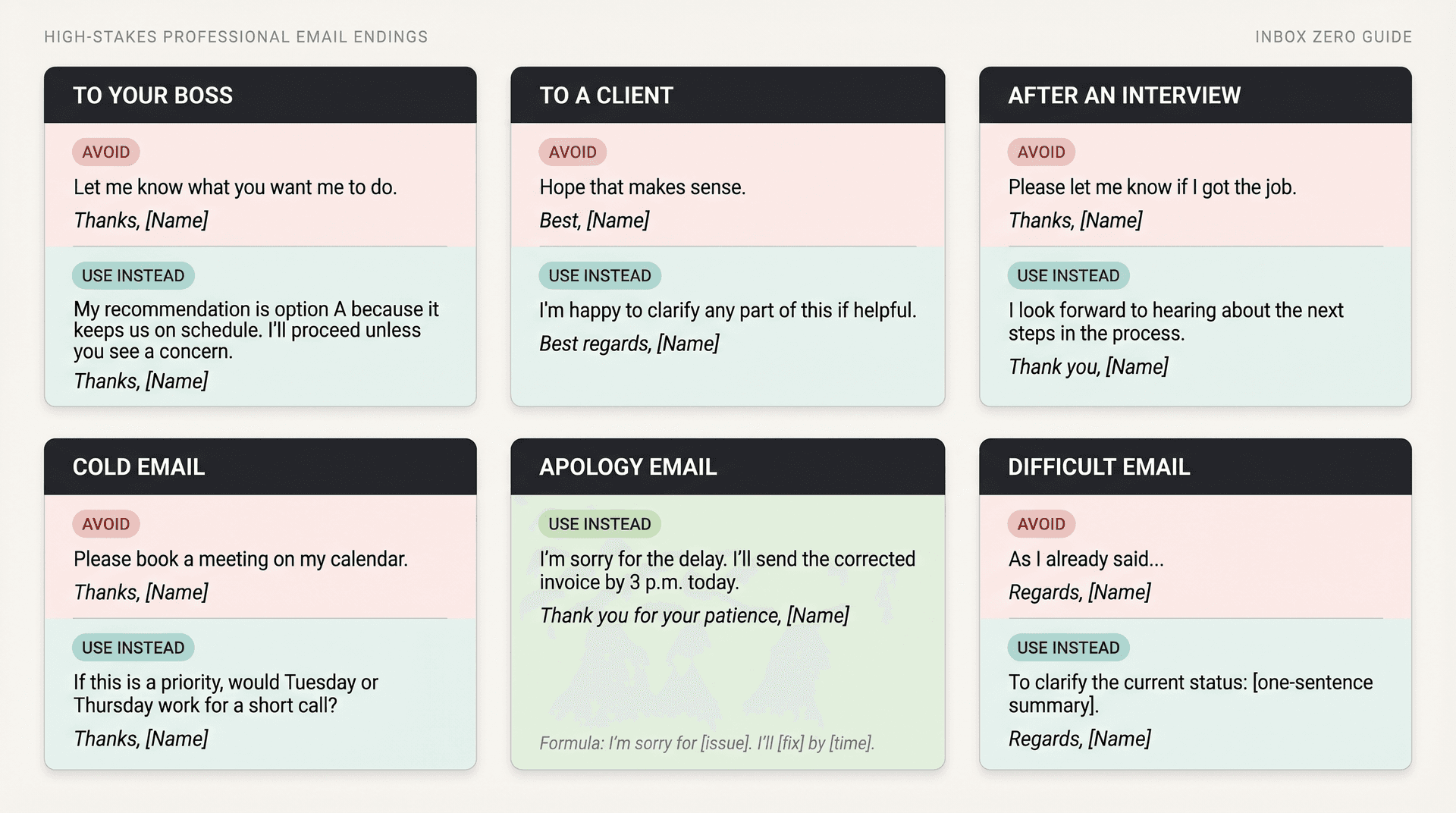
Ending an email to your boss
Aim for clarity, ownership, and good judgment. Show you've thought through the next step so your manager doesn't have to. Building a broader system for managing inbox volume helps you stay on top of the threads that matter most, including those with your manager.
Good endings:
I'll proceed with option B unless you'd prefer a different direction. Thanks, [Name]
Please let me know if you want this shortened before I send it to the team. Regards, [Name]
I'll send the revised version by 4 p.m. Thank you, [Name]
I appreciate the guidance and will incorporate it today. Best regards, [Name]
No action needed; sharing so you have the latest context. Best, [Name]
Avoid:
Let me know what you want me to do.
That pushes too much thinking onto your manager. Better:
My recommendation is option A because it keeps us on schedule. I'll proceed unless you see a concern. Thanks, [Name]
Ending a client email
Client emails should be clear, calm, and helpful. Avoid language that sounds rushed or vague.
Good endings:
Please let me know if you'd like any changes before we finalize this. Kind regards, [Name]
I'll send the updated version by tomorrow afternoon. Best regards, [Name]
Thank you for the feedback; we'll incorporate it into the next draft. With appreciation, [Name]
If it's easier, I'm happy to walk through this on a quick call. Best, [Name]
We'll keep monitoring this and follow up if anything changes. Regards, [Name]
Avoid:
Hope that makes sense.
Better:
I'm happy to clarify any part of this if helpful. Best regards, [Name]
After an interview
Keep it professional, appreciative, and specific. Reference something real from the conversation if you can.
Good endings:
Thank you again for your time today. I enjoyed learning more about the team and the role, and I look forward to hearing about next steps. Sincerely, [Name]
I appreciate the opportunity to speak with you. Please let me know if I can provide anything else. Best regards, [Name]
Thank you for the thoughtful conversation. I'm excited about the possibility of contributing to [Company/Team]. Sincerely, [Name]
Avoid:
Please let me know if I got the job.
Better:
I look forward to hearing about the next steps in the process. Thank you, [Name]
Cold email endings
A cold email ending should be low-friction. Ask for the smallest possible next step. Understanding how the recipients of cold emails filter them can also sharpen your framing. The fewer barriers you create, the better your chances.
Good endings:
Worth a quick conversation next week? Best, [Name]
If this is relevant, I'd be happy to send a short example. Thanks, [Name]
Would it be useful if I shared the 2-minute version? Best regards, [Name]
If there's a better person for this, could you point me in the right direction? Thanks again, [Name]
Open to comparing notes? Best, [Name]
Avoid:
Please book a meeting on my calendar.
Better:
If this is a priority, would Tuesday or Thursday be better for a short call? Thanks, [Name]
Apology emails
A good apology ending doesn't over-explain. It accepts responsibility and names the fix.
I'm sorry for the delay. I'll send the corrected invoice by 3 p.m. today. Thank you for your patience, [Name]
I apologize for the confusion. I've updated the document and highlighted the corrected section. Sincerely, [Name]
I understand the inconvenience and appreciate your patience while we resolve it. Best regards, [Name]
Thank you for flagging this. I'll make sure the team has the corrected details going forward. Regards, [Name]
The formula: I'm sorry for [issue]. I'll [specific corrective action] by [time].
Difficult emails
Difficult emails need calm endings. Avoid excessive warmth, sarcasm, or emotional punctuation.
Good endings:
Please let me know if you'd like to discuss this further. Regards, [Name]
I appreciate your understanding. Sincerely, [Name]
I'm available to clarify any of the details above. Best regards, [Name]
Thank you for taking the time to review this. Respectfully, [Name]
I'll wait for your confirmation before taking the next step. Regards, [Name]
Avoid:
As I already said...
Better:
To clarify the current status: [one-sentence summary]. Regards, [Name]
Short internal emails
For quick internal messages, you don't need a formal closing every time. Keep it clear and own your action. Short, clear internal emails are a core part of the inbox zero method. The less cognitive overhead each message carries, the more efficiently everyone can work.
Approved. Thanks. [Name]
Looks good to me. Thanks, [Name]
I'll handle this. [Name]
Added my comments. Thanks, [Name]
No concerns from me. Best, [Name]
Purdue OWL notes that once a thread is active with someone you know, it may be acceptable to leave greetings out of follow-up emails. The same principle applies to short internal endings where the thread is live and the relationship is clear.
10 Common Mistakes When Ending a Professional Email
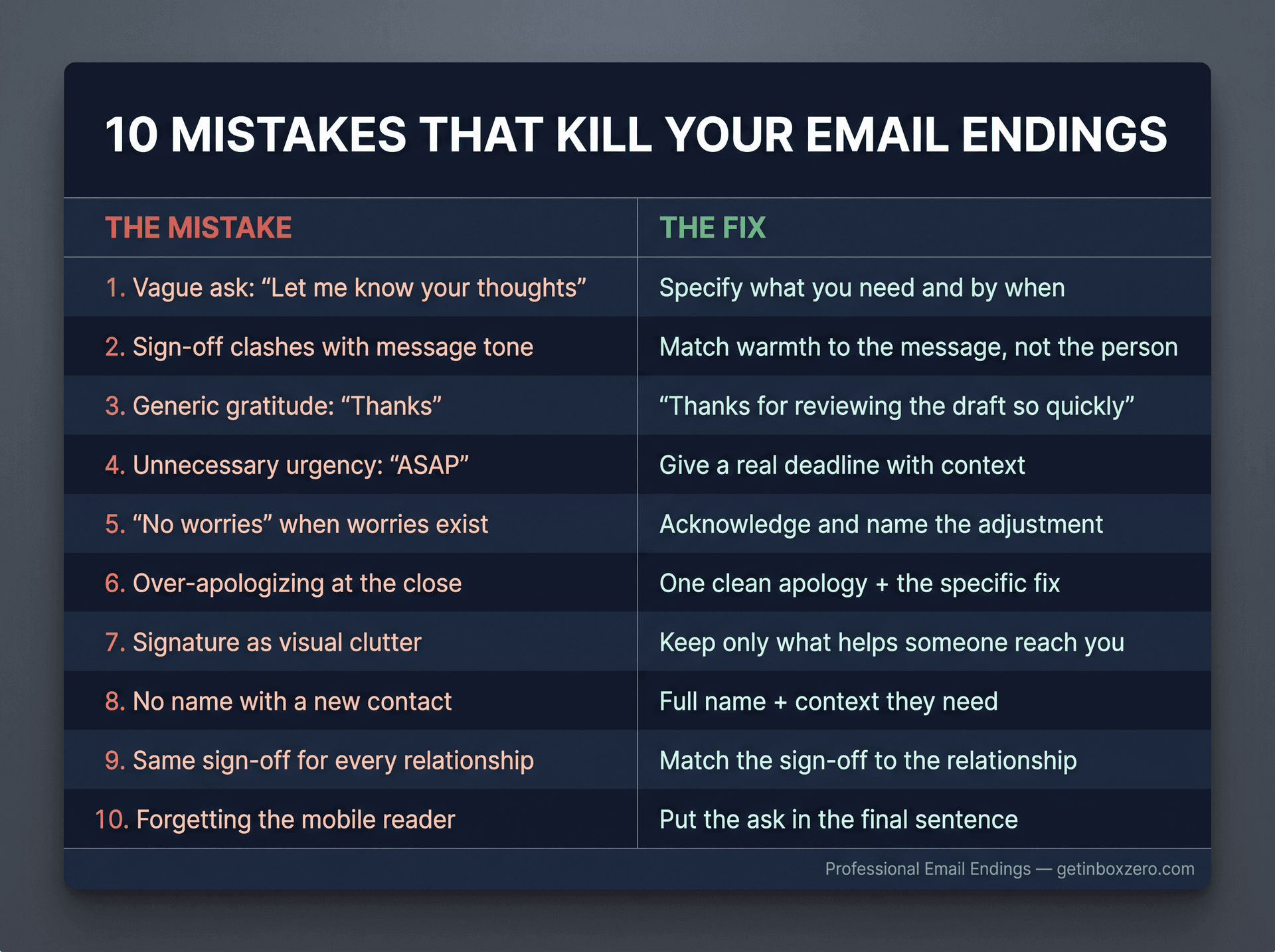
All 10 at a glance, then details below:
| # | Mistake | The fix |
|---|---|---|
| 1 | Vague ask ("Let me know your thoughts") | Be specific about what you need and when |
| 2 | Sign-off clashes with message tone | Match warmth to the message, not the person |
| 3 | Generic gratitude ("Thanks") | Make it specific ("Thanks for reviewing the draft so quickly") |
| 4 | Unnecessary urgency ("ASAP") | Give a real deadline with context |
| 5 | "No worries" when there may be worries | Acknowledge and name the adjustment |
| 6 | Over-apologizing | One clean apology + the fix |
| 7 | Signature as clutter | Keep only what helps someone reach you |
| 8 | No name with a new contact | Full name + context they need |
| 9 | Same sign-off for every relationship | Match the sign-off to the relationship |
| 10 | Forgetting the mobile reader | Put the ask in the final line |
Mistake 1: Ending with a vague ask
Weak: Let me know your thoughts.
Better: Could you comment on the pricing section by Thursday?
Mistake 2: Using a sign-off that clashes with the message
Weak:
We will not be moving forward with your proposal. Warmly,
Better:
Thank you for the time you put into the proposal. Sincerely,
The rule: match the temperature of the sign-off to the temperature of the message, not to how much you like the person.
Mistake 3: Being grateful but not specific
Weak: Thanks.
Better: Thanks for reviewing the draft so quickly.
Mistake 4: Creating unnecessary urgency
Weak: Please respond ASAP.
Better: Could you reply by 3 p.m. today so we can finalize the client update?
A real deadline with context is less stressful to read than "ASAP," and more likely to get a timely reply.
Mistake 5: Using "no worries" when there may actually be worries
Weak: No worries.
Better: That works. I'll adjust the timeline accordingly.
Mistake 6: Over-apologizing at the end
Weak: Sorry again, and sorry for the confusion, and apologies for the delay.
Better: I appreciate your patience. I'll send the corrected version today.
One clean apology + the fix. That's the entire formula.
Mistake 7: Letting your signature become clutter
A signature should help the reader reach you, not overwhelm them. Skip giant banners, inspirational quotes, multiple social links (unless genuinely relevant), and long legal footers when they're not required. A bloated signature is one of the subtler contributors to reducing email overload, both for you and for the people reading your emails.
Mistake 8: Ending with no name when the recipient doesn't know you
With close teammates, a short reply works. With a new contact, include your full name and enough context for them to know who they're hearing from.
Mistake 9: Using the same sign-off for every relationship
Your boss, your best client, a recruiter, a colleague, and a professor all deserve endings that match the relationship. One-size-fits-all endings feel automatic, and they are.
Mistake 10: Forgetting the mobile reader
Many emails get read on a phone in two passes. Put the ask in the final sentence, not buried in paragraph three. If someone only reads the last line before replying, make sure that line carries the message.
The Email Ending Formula That Works Every Time
If you want one reusable pattern, use this:
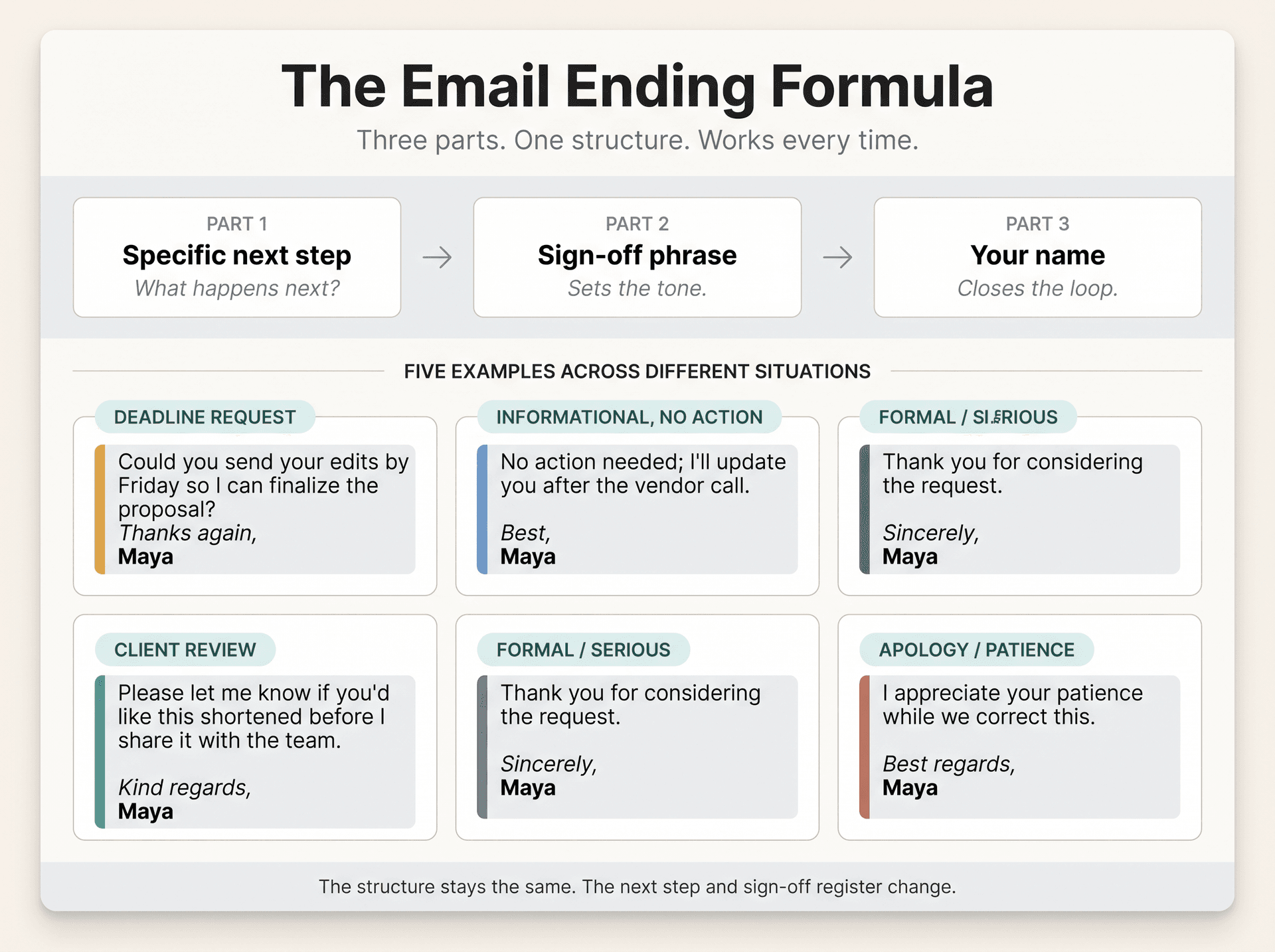
[Specific next step]. [Human but appropriate sign-off], [Your name]
Examples across different situations:
Could you send your edits by Friday so I can finalize the proposal? Thanks again, Maya
No action needed; I'll update you after the vendor call. Best, Maya
Please let me know if you'd like this shortened before I share it with the team. Kind regards, Maya
Thank you for considering the request. Sincerely, Maya
I appreciate your patience while we correct this. Best regards, Maya
The pattern holds regardless of industry, seniority, or relationship. What changes is the specific next step and the sign-off register. The structure stays the same. For teams who want to measure how well this is working, here are email productivity metrics worth tracking across response time, engagement, and volume.
Email Endings by Communication Style
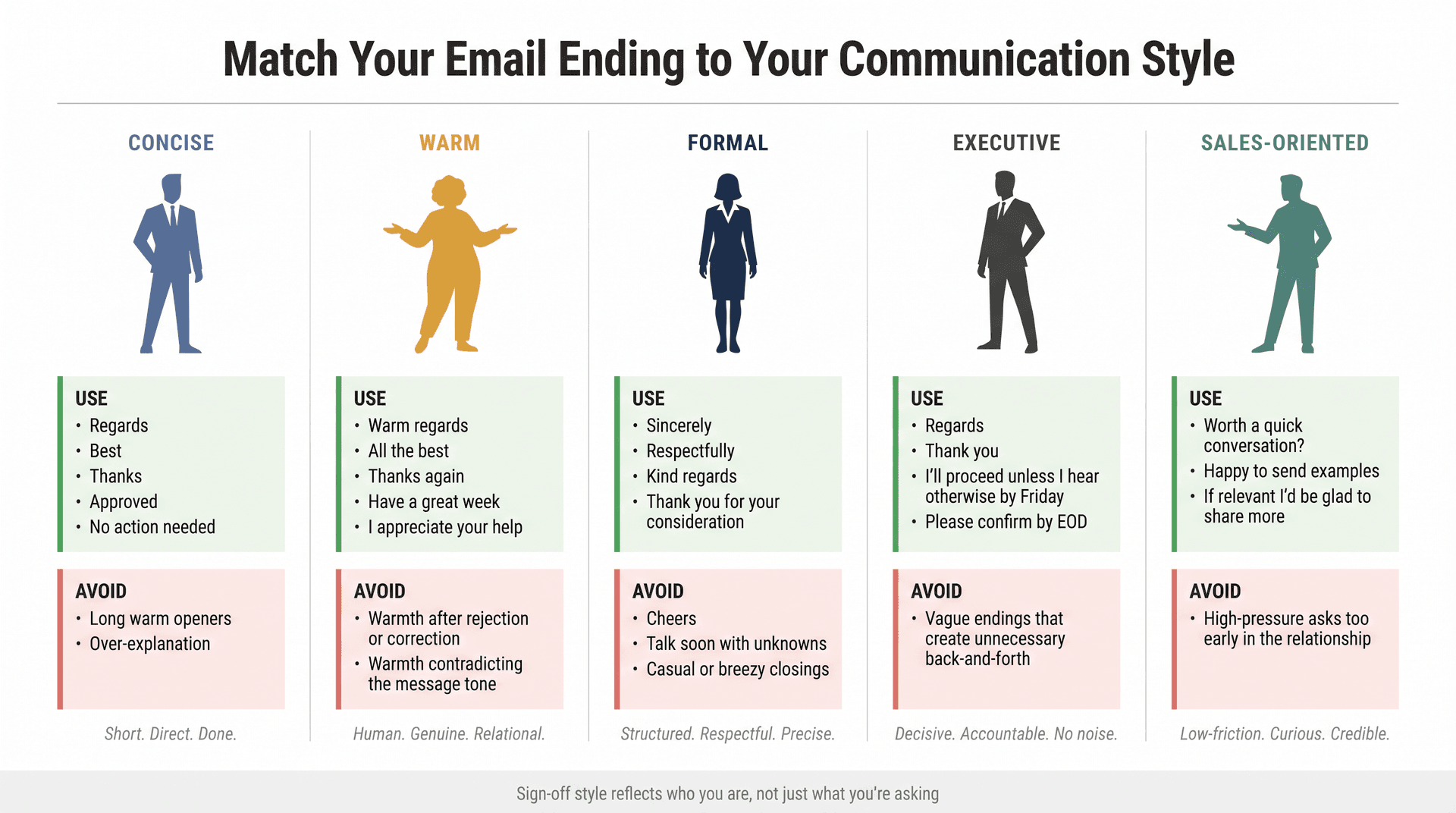
Professional email endings should feel like you, not like a template. A quick map first, then more detail:
| Communication style | Use these sign-offs | Avoid |
|---|---|---|
| Concise | Regards, Best, Thanks, Approved | Long warm openers; over-explanation |
| Warm | Warm regards, All the best, Thanks again | Warmth after rejection or correction |
| Formal | Sincerely, Respectfully, Kind regards | Cheers, Talk soon with unknowns |
| Executive | Regards, Thank you, I'll proceed unless... | Vague endings that create back-and-forth |
| Sales-oriented | Worth a quick conversation?, Happy to send examples | High-pressure asks too early |
If your style is concise:
Use: Regards, Best, Thanks, Approved, No action needed.
Avoid anything that starts with: "I hope this email finds you exceptionally well and I look forward to your thoughtful response at your earliest possible convenience."
If your style is warm:
Use: Warm regards, All the best, I appreciate your help, Have a great week, Thanks again.
Avoid warmth that contradicts the message. "Warmly" after a rejection or correction reads poorly.
If your style is formal:
Use: Sincerely, Respectfully, Kind regards, Thank you for your consideration, I appreciate your attention to this matter.
Avoid overly casual closings like "Cheers" or "Talk soon" with people you don't know well.
If your style is executive:
Use: Regards, Thank you, I'll proceed unless I hear otherwise by Friday, No action needed, Please confirm by EOD.
If you lean concise and executive, it's worth seeing how high-performers approach email. The principles hold across industries.
Avoid vague endings that create more back-and-forth than necessary.
If your style is sales-oriented:
Use: Worth a quick conversation?, Happy to send examples, If this is relevant I'd be glad to share more, Thanks, Best.
Avoid endings that create too much pressure too early in the relationship.
Automate Your Email Closings With Inbox Zero
Learning the system above is worth the investment. But once you've internalized it, the next logical step is not having to think about it at all.
That's what Inbox Zero is built for. Instead of manually choosing the right ending for each email, Inbox Zero's AI drafting reads the thread context, the recipient relationship, and the email's intent, then drafts a reply with an appropriate closing already built in. You review the draft, adjust if needed, and send. The system learns your preferences over time so future drafts match your style more precisely. For the full picture of how the AI assistant handles draft replies, the documentation covers the complete setup.
It works inside Gmail, Google Workspace, and Microsoft Outlook (not as a replacement for your email client, but as an AI layer that runs on top of it through OAuth). Your email stays in the providers you already trust.
How the closing selection works in practice:
-
A follow-up email with a deadline gets a specific, time-anchored closing line ("Could you confirm by Thursday so we can keep the launch on track?")
-
An FYI update gets "No action needed; sharing for visibility"
-
A formal request to a new contact gets "Sincerely" rather than "Thanks"
-
An apology email gets a closing that names the corrective action rather than repeating the apology
You can teach Inbox Zero your preferences directly using plain-English rules. For example:
When drafting emails for me, do not end every message with "Best" or "Thanks." Choose the closing based on context:
- For client emails, use "Kind regards" or "Best regards"
- For internal teammates, use "Thanks," "Thanks again," or "Appreciate it"
- For formal requests, use "Sincerely" or "Thank you for your consideration"
- For follow-ups, include a specific next step and deadline
- For FYI emails, say "No action needed" when appropriate
- Avoid "thanks in advance" unless the task is routine and already expected
The AI reads that instruction and applies it consistently. The system doesn't just pick from a preset list. It adapts to thread context, relationship, and tone on every draft. See pricing and plans at Inbox Zero.
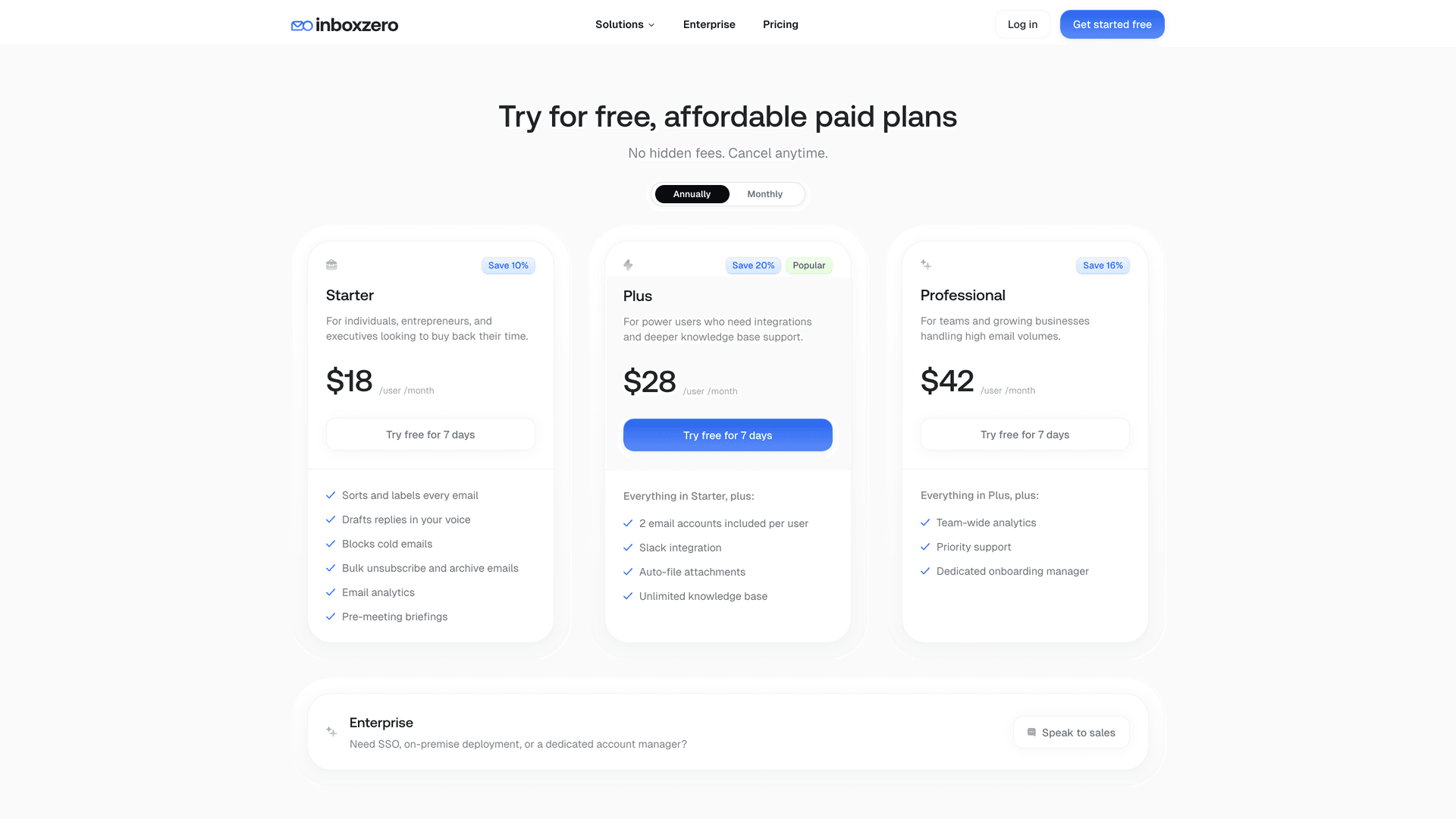
Inbox Zero Tabs for Gmail: a smarter starting point
For Gmail users who want more organized email before getting into AI drafting, Inbox Zero Tabs for Gmail adds custom tabs directly inside Gmail using saved searches and labels. Think of it as a split inbox inside Gmail without leaving the interface. The extension is 100% client-side with no data collection.
A practical tab setup for managing email endings more intentionally:
| Tab | Gmail query idea | Why it helps |
|---|---|---|
| To Reply | Emails needing your response | Practice better closing lines on important replies |
| Awaiting Reply | Threads where someone owes you a response | Use Reply Zero to track which threads are still open |
| Clients | Key client domains or labels | Keep tone consistent across client communication |
| Recruiting | Recruiter/interview labels | Use formal endings: they matter here |
| Receipts | Receipt/invoice queries | Avoid spending mental energy on no-reply emails |
| Newsletters | Newsletter labels | Keep reading separate from replying |
Inbox Zero Tabs documentation covers the full setup. The extension requires no account creation and stores settings locally.
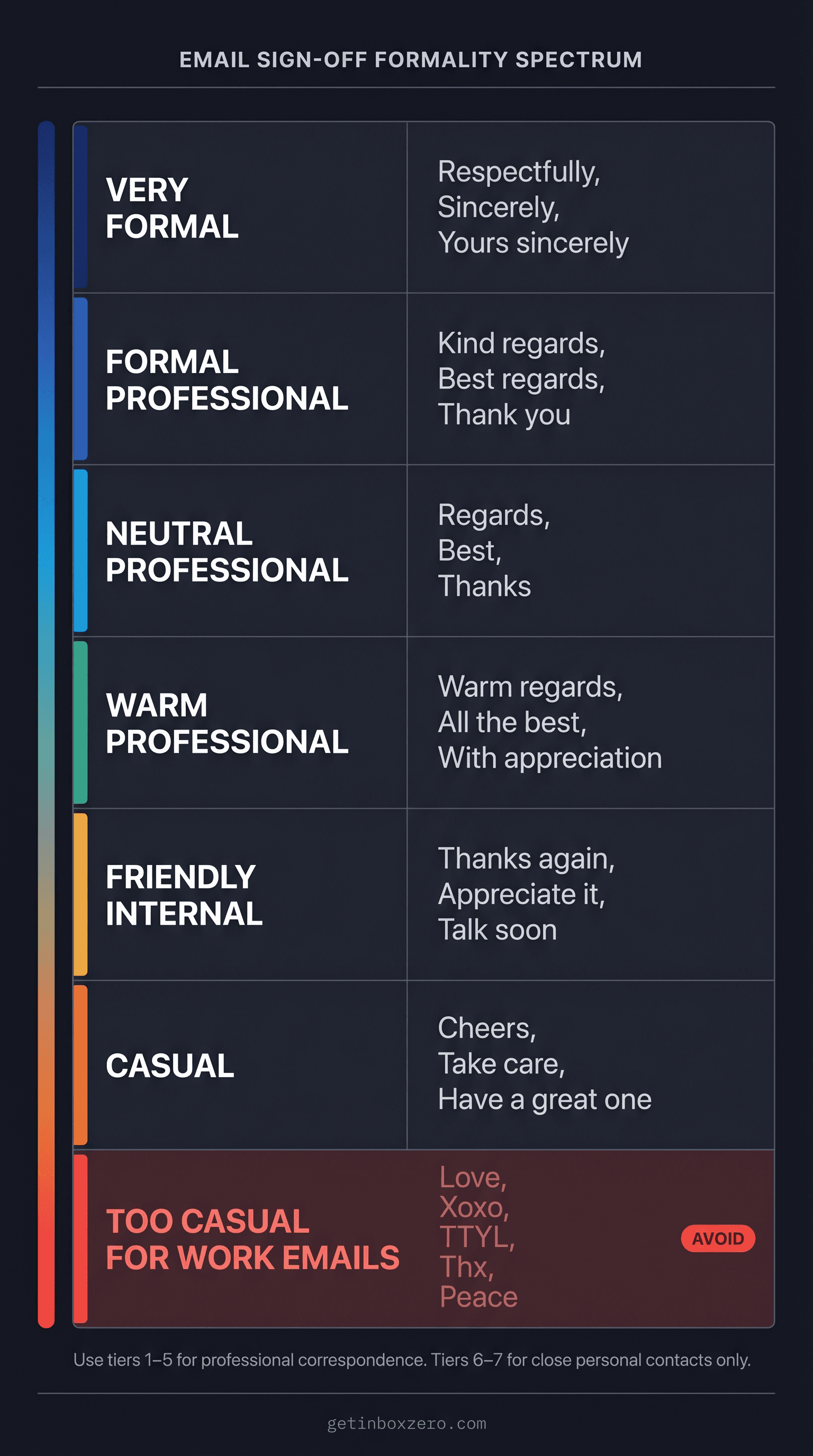
Email Sign-Offs Ranked by Formality Level
| Formality level | Sign-offs |
|---|---|
| Very formal | Respectfully, Sincerely, Yours sincerely |
| Formal professional | Kind regards, Best regards, Thank you |
| Neutral professional | Regards, Best, Thanks |
| Warm professional | Warm regards, All the best, With appreciation |
| Friendly internal | Thanks again, Appreciate it, Talk soon |
| Casual | Cheers, Take care, Have a great one |
| Too casual for most work emails | Love, Xoxo, TTYL, Thx, Peace |
Why Your Closing Line Matters More Than the Sign-Off
Most people spend their energy on the last two words of an email when they should be focused on the last full sentence. That's where the actual communication happens.
Write the closing line first. Make the next step specific, the timeline clear, and the ask proportionate to the relationship. Then pick a sign-off that matches the tone. Not the same one every time, and not the most formal one by default.
When you do this consistently, email endings stop being a friction point and start being something that actually moves things forward.
Inbox Zero can handle this automatically once you've built the mental model. But even before you try any tool, the principles here will make every email you send a bit cleaner, clearer, and more effective.
Frequently Asked Questions: How to End Professional Emails
What is the best way to end a professional email?
End with a clear closing line, an appropriate sign-off, and your name. The closing line should tell the reader what happens next. For example:
Could you send feedback by Friday so I can finalize the document? Kind regards, Maya Patel
The sign-off matters, but the closing line matters more. It's what tells the reader what to do. For threads where you're waiting on a response, it helps to track which threads still need replies so nothing falls through the cracks.
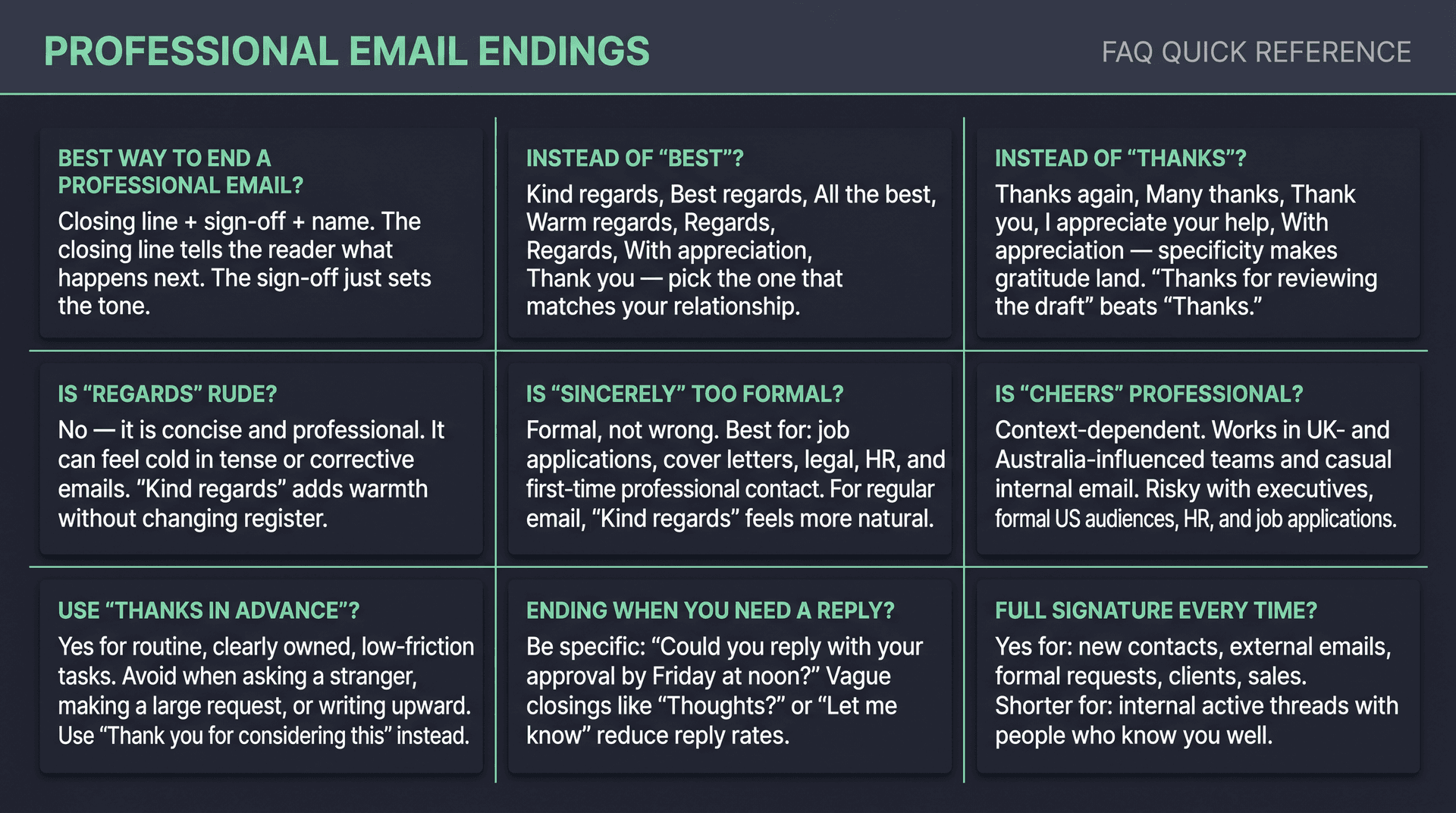
What can I say instead of "Best"?
Strong alternatives to "Best" include:
-
Kind regards,
-
Best regards,
-
All the best,
-
Regards,
-
Sincerely,
-
With appreciation,
-
Thank you,
-
Thanks again,
-
Warm regards,
-
Have a great week,
Use "Kind regards" or "Best regards" when you want a safe professional default.
What can I say instead of "Thanks"?
Good alternatives include:
-
Thank you,
-
Thanks again,
-
Many thanks,
-
I appreciate your help,
-
I appreciate your time,
-
With appreciation,
-
Thank you for reviewing this,
-
Thank you for your consideration,
-
Thanks for your patience,
-
Grateful for your help,
The more specific you make the gratitude, the better it lands. "Thanks for reviewing the draft so quickly" is stronger than "Thanks."
Is "Regards" rude?
No, "Regards" isn't rude by itself. It's concise and professional. It can feel cold, though, if the email is already corrective, tense, or very brief. When in doubt, "Kind regards" or "Best regards" adds warmth without changing the register.
Is "Sincerely" too formal for email?
"Sincerely" is formal, but not wrong. It's a good fit for job applications, cover letters, academic correspondence, legal or HR topics, and first-time professional contact. For everyday workplace email with people you know, "Kind regards" or "Best regards" tends to feel more natural.
Is "Cheers" professional?
It depends on context. "Cheers" works well in UK- and Australia-influenced workplaces and casual internal teams. It's riskier with formal US audiences, executives you don't know, legal and HR situations, job applications, or customers you haven't built a relationship with yet.
Should I use "thanks in advance"?
Use it carefully. It works well for small, routine, clearly owned tasks. It can read as presumptuous when you're asking a favor, requesting significant effort, or writing to someone you don't know. Safer alternatives: "Thank you for considering this," "I appreciate your help," and "Please let me know if this is doable."
How do I end an email when I need a response?
Be specific about what you need and when:
Could you reply with your approval by Friday at noon? Thank you, [Name]
Avoid vague endings like "Thoughts?" or "Let me know." The more specific the ask, the more likely you are to get a timely reply.
How do I end an email when I don't need a response?
Say so directly:
No action needed; sharing for visibility. Best, [Name]
Or: "No reply needed unless you see a concern." This is one of the simplest ways to reduce inbox noise for both you and the reader. If you're sending a temporary out-of-office message, out-of-office email templates can help you set the right expectations without a full reply.
Should I include my full signature in every email?
Use a full signature for new contacts, external emails, formal requests, recruiting, sales, vendor conversations, clients, or anyone who may need your role, company, phone number, or scheduling details. For active internal threads with people who already know you well, a shorter signature is usually fine. For a fuller look at managing your email communications efficiently, including when to use which signature setup, the guide covers the full range of email habits worth building.
What is the Inbox Zero Method & How do I Master It?
Discover the Inbox Zero method and learn simple steps to take control of your email inbox, stay organized, and boost productivity.

4 Email Productivity Hacks from Tim Ferriss, Andrew Huberman, and Sam Harris
Explore 4 powerful email productivity hacks from tech and wellness experts like Tim Ferriss and Andrew Huberman. Learn to create focus, optimize processing, manage time wisely, and delegate effectively to conquer your inbox.
Best Time to Send Emails for Response (2026)
Stop guessing when to send emails. Get data-backed timing strategies from 2026 research that improve response rates across all scenarios.
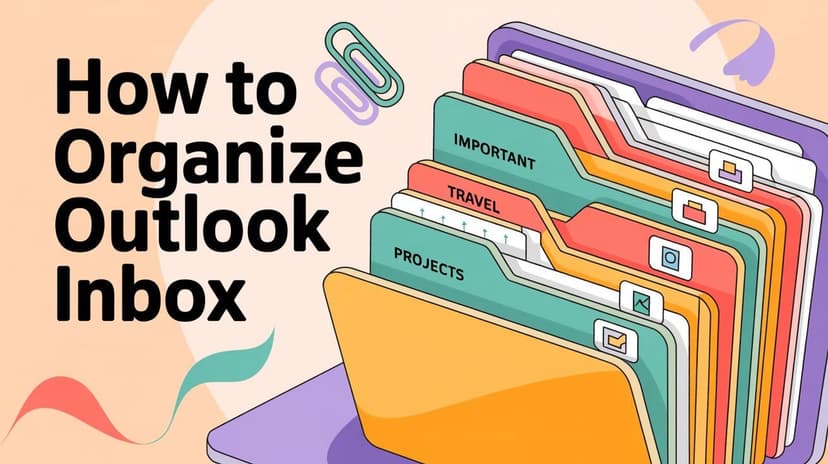
How To Organize Outlook Inbox? (2026 Guide)
Learn how to organize Outlook inbox with rules, folders, categories, and AI automation. Step-by-step guide for 2026 that actually works.